Elsevier and Springer and other publishers provide latex classes for authors, similar to the standard article class. But those classes don't have the full published formatting, it's just for submitting articles. I want to make my own template that has a similar look to what Elsevier uses in final publication. Publishable, professional looking, article.
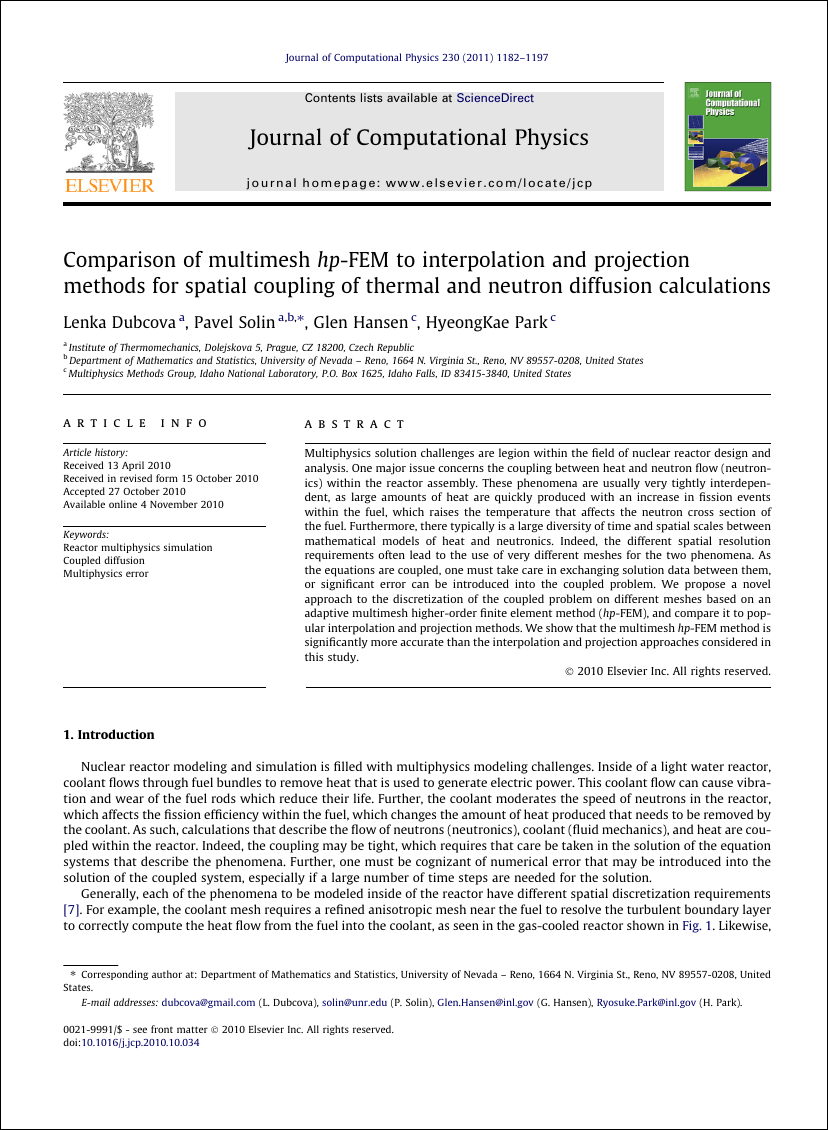
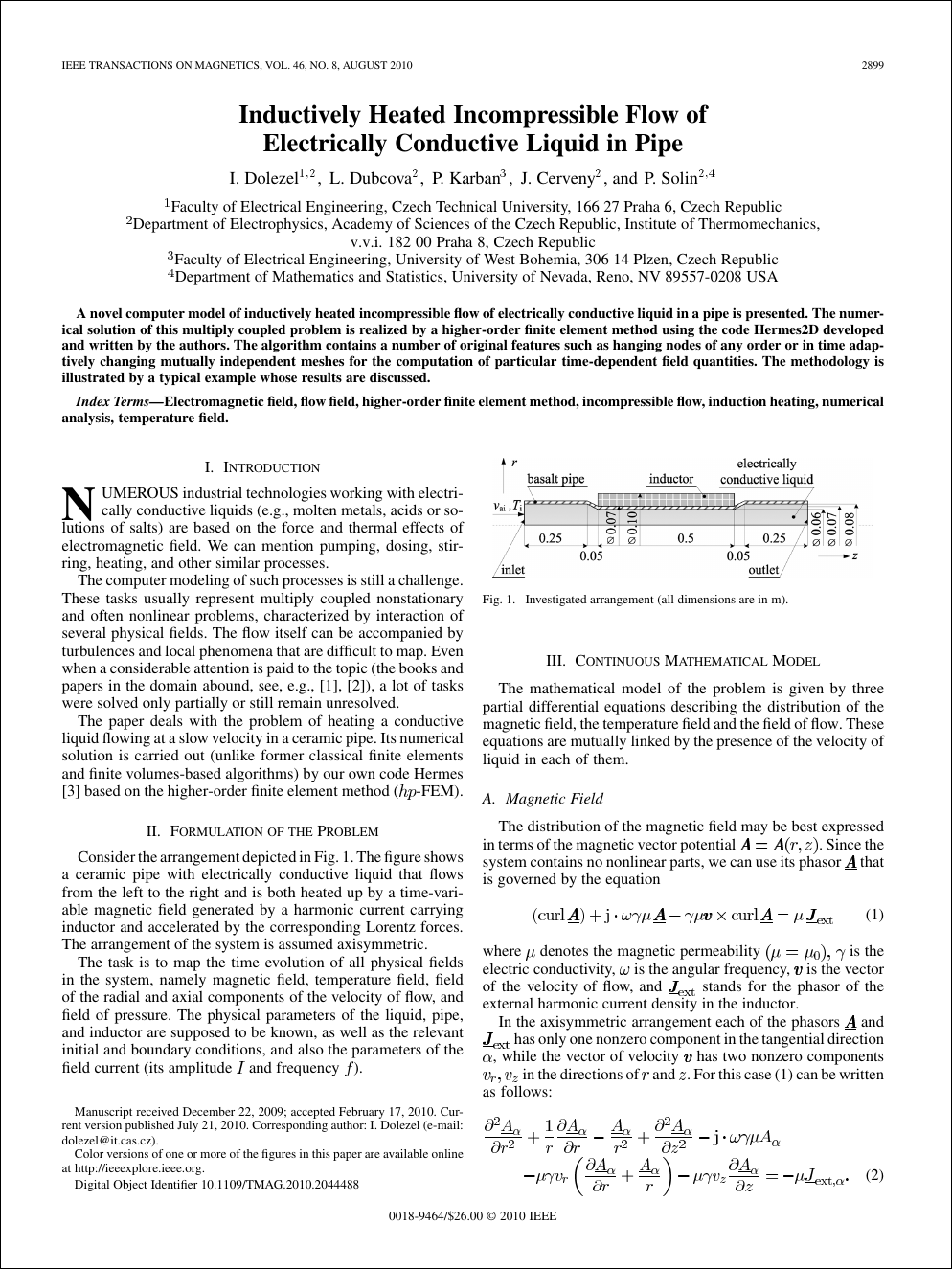
Here is an example of an Elsevier article front page: https://nclab.com/wp-content/uploads/2013/01/0-paper-jcp.png I want to use a design that is similar to that, but with the IEEE two column format: https://nclab.com/wp-content/uploads/2013/01/0-paper-ieee.png
I am using LyX, which usually makes typing text easier, but it seems adding actual Latex design is very difficult. I don't quite understand what should go in the Document settings -> Latex preamble and what I can insert with a Ctrl-L in the center of the text. But trial and error works fairly well once I have some code to produce output. Problem now is I can't find a good example to work with.
I have found examples for spanning the abstract over two columns (How can I place a one-column-abstract in a two-column document?) but I haven't made use of it yet. I'm not even sure if this works to get the keywords in a custom column next to the abstract like in the Elsevier article. I didn't get much done on this because I got stuck on the part of making the first page frame at the top of the page, with pictures and lines and text.
There is this answer: Add Table in Header with image where some custom boxes were drawn inside of latex code, but doesn't appear on the front page above the title. In fact, it appears on every other page except the front page, quite opposite of what I want. And on the second page (only 2nd page) it appears on top of the text without any white space around it.
So I tried this code: Custom first page with fancyhdr which is supposed to set a custom header for the front page, but what this does is simply remove all headers. So there's something that doesn't work, but I get no error messages.
I feel like every step forward is followed by two steps backward. There are lots of journals out there, but for some reason no one is sharing their latex code. And latex documentation is pretty much non-existent. I got into using latex because writing is so easy, but it's very frustrating that it's so impossible to make things look good. Some help would be much appreciated.


I am using LyX, which usually makes typing text easier, but it seems adding actual Latex design is very difficultif you want full control of Latex, you must write Latex code directly yourself. I use SW also, and many times, I have to edit the Latex code generated to make any customization. Using a GUI application in these cases (Lyx, SW, etc...) gets in the way of doing such things. – Nasser Jul 04 '15 at 02:40\maketitle. – cfr Jul 04 '15 at 03:42clsguide, which tells you how to load packages and set-up options and so forth. IMO, you are starting at the wrong end: trying to design a class when you don't understand LaTeX yet – jon Jul 04 '15 at 14:48.cls. Creating a.clsfile is extra work, and only useful (aside from general interest and/or learning how to do it) if you are going to create several documents in that same style and want a clean and minimal preamble. Many of my own documents look quite different, and yet I rarely (i.e., virtually never) bother with creating a.clsfor them. – jon Jul 04 '15 at 14:51