I'm trying to make an alphabet chart similar to this one here: 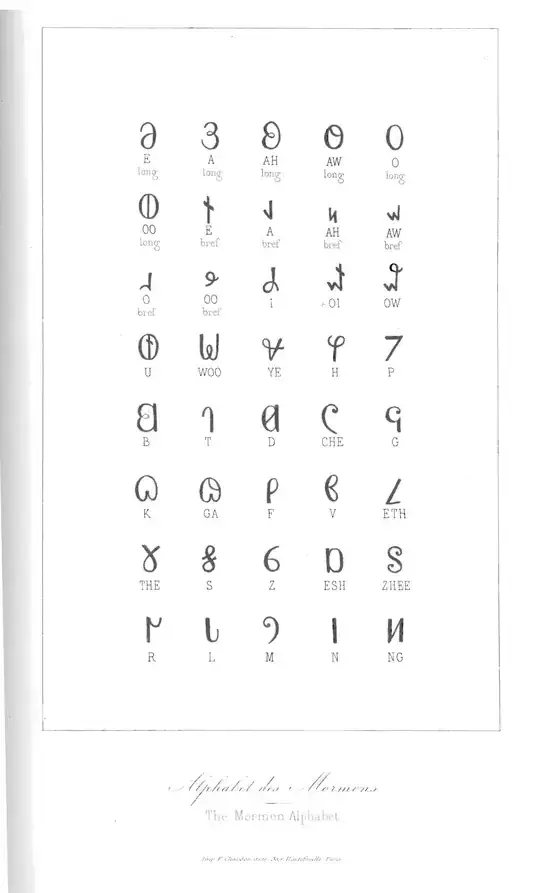
I've got a set of images prenamed with pic1.png, pic2.png. I've been able to get a forloop working to get a set of the images to appear in the document, but when I try to stick that in a tabular, things don't quite go as planned. For the code below, I just wanted to test out putting the image and then the text on each row before I started looking at more difficult solutions like the chart:
\begin{table}[H]
    \caption[Letterforms]{Letterforms}
    \begin{tabular}{ c c }
        \toprule
        Letter & Spelling \\
        \foreach \x/\picname in {4/pic1.png,8/pic2.png,15/pic3.png}
        { \lipsum[\x]
            \midrule
            \includegraphics[width=1in]{\picname} & \x \\
        }
    \bottomrule
    \end{tabular}
\end{table}
Basically, I just need each image to appear above some text in a centered grid. I'm doing this for different documents with a different number of images each time, so I'd prefer a dynamic solution if at all possible. I'm also using the kaobook template, if that is helpful.


