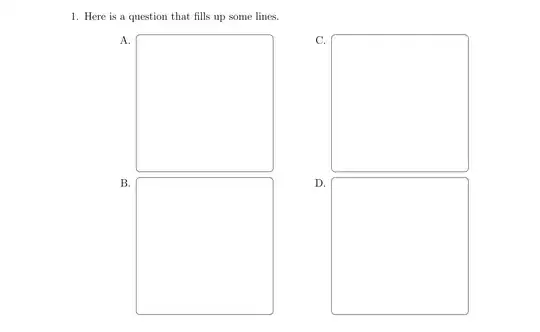
You can use the baseline key to shift the baseline of a tikzpicture. In that key you can use current bounding box to reference the size of the current picture. And using the calc library we can shift that point downwards by the height of the \strutbox to get decent looking top alignment compared to the letters.
To set the \figsize automatically you can store M. inside a box (M is most likely the widest letter of your font), and set the \figsize to the current line width minus the width of that box (using \dimexpr such things are possible).
Full code:
\documentclass[%
12pt,
a4paper,
]{exam}
\newlength{\figsize}
\setlength{\columnsep}{0pt}
\usepackage{tikz}
\usepackage{multicol}
\usetikzlibrary{calc}
\makeatletter
\newcommand{\diagram}
  {%
    \setfigsize
    \begin{tikzpicture}[baseline={($(current bounding box.north)-(0,\ht\strutbox)$)}]
      \draw[rounded corners]  (0,0) rectangle (\figsize,\figsize);
    \end{tikzpicture}%
  }
\newcommand*\setfigsize
  {%
    \sbox0{M.}% M should be the widest letter
    \setlength\figsize{\dimexpr\linewidth-\wd0\relax}%
  }
\makeatother
\begin{document}
    \begin{questions}
        \pointsinmargin\pointformat{}
    \setlength{\figsize}{0.35\textwidth}

    \question[1]%
    Here is a question that fills up some lines.

    \begin{multicols}{2}
    \begin{choices}
        \choice \begin{center}\diagram\end{center}
        \choice \begin{center}\diagram\end{center}
        \choice \begin{center}\diagram\end{center}
        \choice \begin{center}\diagram\end{center}
    \end{choices}
    \end{multicols}

\end{questions}
\end{document}
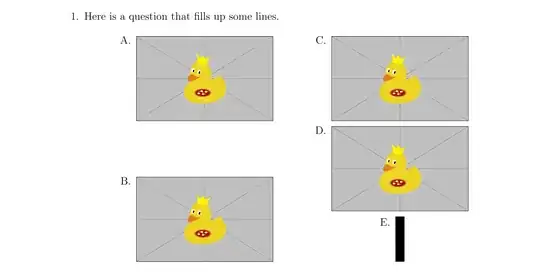
If you want to top align an image file you can use \adjustimage from the adjustbox package instead of \includegraphics (note that the \adjustimage doesn't use an optional argument but a mandatory one, it supports all the options of graphicx plus the adjustbox specific ones). If you want to top align something arbitrary (this would also work with a tikzpicture) you can use \adjustbox{valign=t}{<stuff>}.
Example:
\documentclass[%
12pt,
a4paper,
]{exam}
\newlength{\figsize}
\setlength{\columnsep}{0pt}
\usepackage{adjustbox}
\usepackage{multicol}
\makeatletter
\newcommand{\diagram}
  {%
    \setfigsize
    \adjustimage{valign=t, width=\figsize}{example-image-duck}%
  }
\newcommand*\setfigsize
  {%
    \sbox0{M.}% M should be the widest letter
    \setlength\figsize{\dimexpr\linewidth-\wd0\relax}%
  }
\makeatother
\begin{document}
    \begin{questions}
        \pointsinmargin\pointformat{}
    \setlength{\figsize}{0.35\textwidth}

    \question[1]%
    Here is a question that fills up some lines.

    \begin{multicols}{2}
    \begin{choices}
        \choice \begin{center}\diagram\end{center}
        \choice \begin{center}\diagram\end{center}
        \choice \begin{center}\diagram\end{center}
        \choice \begin{center}\diagram\end{center}
        \choice \begin{center}\adjustbox{valign=t}{\rule{10pt}{50pt}}\end{center}
    \end{choices}
    \end{multicols}

\end{questions}
\end{document}
Result: