You need a \begin{frame}[fragile] environment, for line numbering you can use the listings package, it has numerous options, for line numbering it is numbers=left. You can also use \lstinputlisting{yourfile.c} to input directly a C file, and lstautogobble is useful to remove indentation based on the first line. For more options (colors…) to typeset C code, see e.g. this answer, I provided a very simple example. Btw, next time provide a full (i.e. compilable) minimal working example like this:
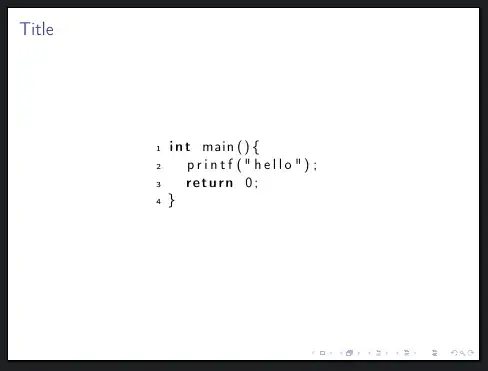
\documentclass[]{beamer}
\usepackage[T1]{fontenc}
\usepackage[utf8]{inputenc}
\usepackage{listings}
\usepackage{lstautogobble} % Provides autogobble, which is useful to remove indentation based on first line
\lstset{ %
  language=C,
  numbers=left,
  numberstyle=\tiny,
  stepnumber=1,
  numbersep=5pt,
  breaklines=true,
  autogobble=true, % Removes indentation based on first line
}
\begin{document}
\begin{frame}[fragile]{Title}
  \begin{center}
    \begin{tabular}{c}
      \begin{lstlisting}
        int main(){
          printf("hello");
          return 0;
        }
      \end{lstlisting}
    \end{tabular}
  \end{center}
\end{frame}
\end{document}


\begin{frame}[fragile]. – Marijn Sep 19 '21 at 18:52