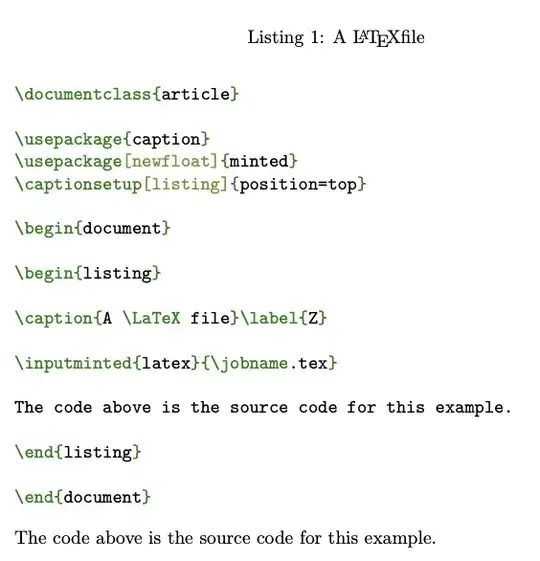
If you use figure (but I don't recommend it), the caption will be typeset where you put it.
It would make more sense to use listing instead. In any case, you can add whatever text you want in the environment.
\documentclass{article}
\usepackage{caption}
\usepackage[newfloat]{minted}
\captionsetup[listing]{position=top}
\begin{document}
\begin{listing}
\caption{A \LaTeX file}\label{Z}
\inputminted{latex}{\jobname.tex}
The code above is the source code for this example.
\end{listing}
\end{document}
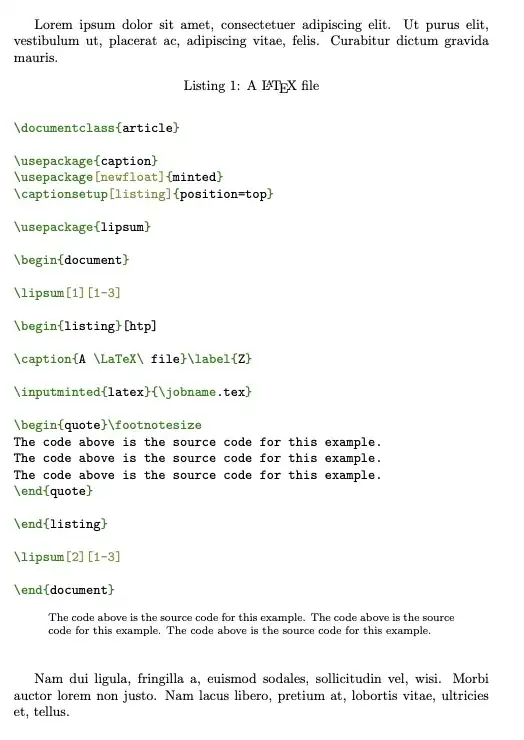
You might want to apply some special formatting to the text, so as to better distinguish it from the context.
\documentclass{article}
\usepackage{caption}
\usepackage[newfloat]{minted}
\captionsetup[listing]{position=top}
\usepackage{lipsum}
\begin{document}
\lipsum[1][1-3]
\begin{listing}[htp]
\caption{A \LaTeX\ file}\label{Z}
\inputminted{latex}{\jobname.tex}
\begin{quote}\footnotesize
The code above is the source code for this example.
The code above is the source code for this example.
The code above is the source code for this example.
\end{quote}
\end{listing}
\lipsum[2][1-3]
\end{document}