1

I'm trying to read the content from a file and then use it in the formula:

\documentclass{article}
\usepackage{calc}
\newcommand\x{\input{size.txt}}
\setlength\parskip{1pt * \x}
\begin{document}
Hello, world!
\end{document}

I'm getting:

! Missing number, treated as zero.
<to be read again>
                   \let
l.4 \setlength\parskip{1pt * \x}

What's wrong?

yegor256
  • 12,021

4 Answers4

2

Use \read rather than \input

enter image description here

\documentclass{article}
\newread\foo
\openin\foo=size.txt
\read\foo to \x

\setlength\parskip{\x pt} \begin{document} Hello, world!

a new paragraph \end{document}

where size.txt is

20
David Carlisle
  • 757,742
1

You can use catchfile.

%%% filecontents is used just to make the example self-contained
\begin{filecontents*}{\jobname.txt}
20
\end{filecontents*}

\documentclass{article} \usepackage{catchfile} \usepackage{calc}

%%% % define \x to be the contents of the file \CatchFileDef{\x}{\jobname.txt}{}

% now use it \setlength\parskip{1pt * \x} %%%

\begin{document}

Hello, world! \the\parskip

\end{document}
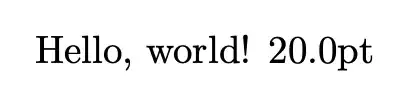
enter image description here

You can then use \x wherever and whenever you need it. I'd use a more descriptive name, though.

For a single use, I'd not leave around a definition of \x; in this case you can replace the code in the %%% pair with

%%%
\begingroup\CatchFileDef{\x}{\jobname.txt}{}
\edef\x{\endgroup\noexpand\setlength\parskip{1pt * \x}}\x
%%%

Here's a more general version that allows you to perform various actions with the content of a file. In the second argument to \usefile you use #1 to refer to the file contents.

\begin{filecontents*}{\jobname.txt}
20
\end{filecontents*}

\documentclass{article} \usepackage{calc}

\ExplSyntaxOn

\NewDocumentCommand{\usefile}{mm} {% #1 = file name, #2 = action to perform \yegor_usefile:nn { #1 } { #2 } }

\tl_new:N \l__yegor_usefile_tl

\cs_new_protected:Nn \yegor_usefile:nn { \cs_set_protected:Nn __yegor_usefile_aux:n { #2 } \file_get:nnN { #1 } { } \l__yegor_usefile_tl __yegor_usefile_aux:V \l__yegor_usefile_tl } \cs_new_protected:Nn __yegor_usefile_aux:n {} \cs_generate_variant:Nn __yegor_usefile_aux:n { V }

\ExplSyntaxOff

\usefile{\jobname.txt}{\setlength{\parskip}{1pt * #1}}

\begin{document}

Hello, world! \the\parskip

\end{document}

egreg
  • 1,121,712
0

The problem is, that your newcommand will expand and simply include the content of size.tex (in my case). It does no numerical conversion, and there seem to be no obvious way to do it.

May be if you have a look into the TEX-manual, there might be a way to get the number of bytes.

\documentclass{article}
\usepackage{calc}
\newcommand\x{\input{size}}
%\setlength\parskip{1pt * \x}
\begin{document}
Hello, world!

\x{} \end{document}

Kindly guess the content of size.tex ;-)

enter image description here

P.S.: You may succeed with package stringstrings, see stringlength in https://mirror.marwan.ma/ctan/macros/latex/contrib/stringstrings/stringstrings.pdf

MS-SPO
  • 11,519
0

One way is to use the -shell-escape option to execute a command to obtain the desired value. In the MWE below, the file MySize.txt had the value of 30 and this value was used to set \parskip:

enter image description here

References:

Code:

\begin{filecontents*}{MySize.txt}
30
\end{filecontents*}%

\documentclass{article}

%% https://tex.stackexchange.com/questions/102365/specify-file-name-shell-access-via-input \makeatletter \newcommand\GetShellOutput[1]{% %% #1 = file name \begingroup\endlinechar=\m@ne\everyeof{\noexpand}% \edef\TempResult{\endgroup \def\noexpand\ShellOutput{% @@input|"cat #1" }}% \TempResult} \makeatother

\newcommand\SetValueFromFile[2]{% %% #1 = macro to set %% #2 = file to read (which contains an integer) \GetShellOutput{#2}% \def#1{\ShellOutput}% }%

\SetValueFromFile{\GivenInteger}{MySize.txt} \setlength\parskip{\GivenInteger pt}

\begin{document} Hello, world!

Hello again. \end{document}

Peter Grill
  • 223,288