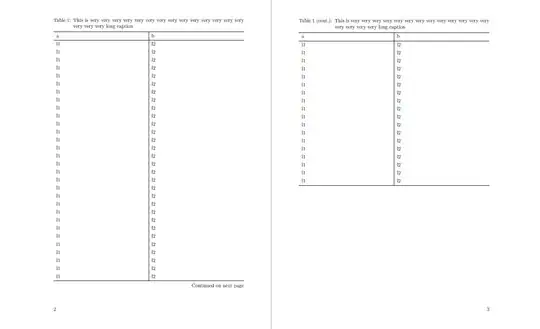
Here is an attempt, which uses the longtblr environment from tabularray package.
\documentclass{scrbook}
\usepackage{lipsum}
\usepackage{booktabs}
\usepackage{tabularray}
\UseTblrLibrary{booktabs}
\ExplSyntaxOn
\DefTblrTemplate { capcont } { mycaption }
{
    \hbox_set:Nn \l__tblr_caption_box
    {
        \UseTblrTemplate { caption-tag } { default }
        \space
        \UseTblrTemplate { conthead-text } { default }
        \UseTblrTemplate { caption-sep } { default }
        \UseTblrTemplate { caption-text } { default }

    }
    \dim_compare:nNnTF { \box_wd:N \l__tblr_caption_box } > { \hsize }
    {
        \UseTblrAlign { capcont }
        \UseTblrIndent { capcont }
        \hbox_set:Nn \l__tblr_caption_left_box
        {
            \UseTblrTemplate { caption-tag } { default }
            \space
            \UseTblrTemplate { conthead-text } { default }
            \UseTblrTemplate { caption-sep } { default }
        }
        \hangindent = \box_wd:N \l__tblr_caption_left_box
        \hangafter = 1
        \UseTblrHang { capcont }
        \leavevmode
        \hbox_unpack:N \l__tblr_caption_box
        \par
    }
    {
        \centering
        \makebox [\hsize] [c] { \box_use:N \l__tblr_caption_box }
        \par
    }
}
\ExplSyntaxOff
\SetTblrTemplate{capcont}{mycaption}
\DefTblrTemplate{conthead-text}{default}{(cont.)}
\begin{document}
Extra page to have the correct margins for two page layout
\newpage
\noindent

\begin{longtblr}[
        caption={This is very very very very very very very very very very very very very very very very very long caption},
        label={tab:my}
    ]{
        colspec={X|X},
        rowhead=1,
    }
    \toprule
    a & b \
    \midrule
    l1 & l2 \
    l1 & l2 \
    l1 & l2 \
    l1 & l2 \
    l1 & l2 \
    l1 & l2 \
    l1 & l2 \
    l1 & l2 \
    l1 & l2 \
    l1 & l2 \
    l1 & l2 \
    l1 & l2 \
    l1 & l2 \
    l1 & l2 \
    l1 & l2 \
    l1 & l2 \
    l1 & l2 \
    l1 & l2 \
    l1 & l2 \
    l1 & l2 \
    l1 & l2 \
    l1 & l2 \
    l1 & l2 \
    l1 & l2 \
    l1 & l2 \
    l1 & l2 \
    l1 & l2 \
    l1 & l2 \
    l1 & l2 \
    l1 & l2 \
    l1 & l2 \
    l1 & l2 \
    l1 & l2 \
    l1 & l2 \
    l1 & l2 \
    l1 & l2 \
    l1 & l2 \
    l1 & l2 \
    l1 & l2 \
    l1 & l2 \
    l1 & l2 \
    l1 & l2 \
    l1 & l2 \
    l1 & l2 \
    l1 & l2 \
    l1 & l2 \
    l1 & l2 \
    l1 & l2 \
    \bottomrule
\end{longtblr}
\end{document}
However, the width of the caption is equal to the width of the table, which could be an issue, if your table is narrow. I used X column type in my example, which uses all available space for the columns. If the width of the caption is a problem for you, you can have a look at this question. Unfortunately, I have not been able to combine both the custom alignment and the full width caption yet. Maybe someone else has an idea...


