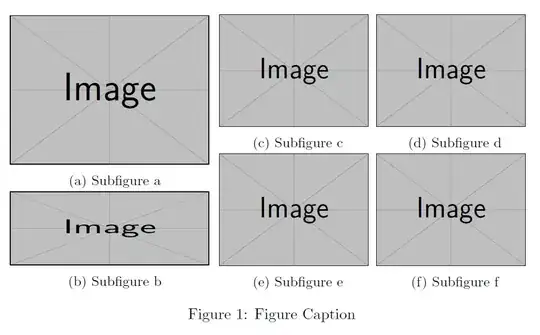
I don't know any package that can do this. However, it is not that hard constructing this using minipages and subfigures.
\documentclass{article}
\usepackage{graphicx}
\usepackage{subcaption}
\begin{document}
\begin{figure}
    \begin{minipage}{0.4\linewidth}
        \begin{subfigure}[b]{\textwidth}
            \includegraphics[width=.95\linewidth]{example-image}
            \caption{Subfigure a}
        \end{subfigure}
        \begin{subfigure}[b]{\textwidth}
            \includegraphics[width=.95\linewidth, height=1.7cm]{example-image}
            \caption{Subfigure b}
        \end{subfigure}
    \end{minipage}%
    \begin{minipage}{0.6\linewidth}
        \begin{subfigure}[b]{0.5\textwidth}
            \includegraphics[width=.95\linewidth]{example-image}
            \caption{Subfigure c}
        \end{subfigure}%
        \begin{subfigure}[b]{0.5\textwidth}
            \includegraphics[width=.95\linewidth]{example-image}
            \caption{Subfigure d}
        \end{subfigure}
        \begin{subfigure}[b]{0.5\textwidth}
            \includegraphics[width=.95\linewidth]{example-image}
            \caption{Subfigure e}
        \end{subfigure}%
        \begin{subfigure}[b]{0.5\textwidth}
            \includegraphics[width=.95\linewidth]{example-image}
            \caption{Subfigure f}
        \end{subfigure}
    \end{minipage}
    \caption{Figure Caption}
\end{figure}
\end{document}