It's hard to know if what I'm going to suggest fits your actual use case, since I suspect there is more going on in your actual table than is shown in this example …
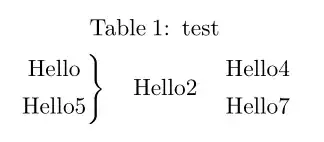
And this doesn't exactly merge anything in the tabularray, but it just seems easier to me, in order to do the big brace and match it to the size of those rows, if you put them in the same cell; you could use a tabular inside the tabularray to emulate the effect of having them in different rows:
\begin{table}
\begin{talltblr}[caption={test}]{
colspec={c c c}
}
\(\left.
\begin{tabular}{@{}c@{}}
Hello\\[4pt]
Hello5
\end{tabular}
\right\}\)
&Hello2&
\begin{tabular}{@{}c@{}}
Hello4\\[4pt]
Hello7
\end{tabular}
\end{talltblr}
\end{table}
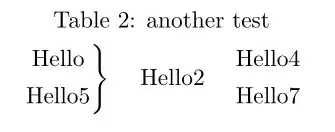
But then it occurred to me that since it ended up being only one row, that there was really no reason for the longtblr at all …
\begin{table}
\centering
\caption{another test}
\medskip\(\left.
\begin{tabular}{@{}c@{}}
Hello\\[4pt]
Hello5
\end{tabular}
\right\}\)
\quad Hello2 \quad
\begin{tabular}{@{}c@{}}
Hello4\\[4pt]
Hello7
\end{tabular}
\end{table}
But without knowing exactly what your real use case is, this may not be appropriate at all.


multirow.stywill be an another option... – MadyYuvi Jun 14 '22 at 04:11