For the title of the bibliography list, most LaTeX bibliography implementations differentiate between article-like and report/book-like classes. For the former, the title of the bibliography is "References" (stored in \refname), for the latter it's "bibliography" (stored in \bibname).
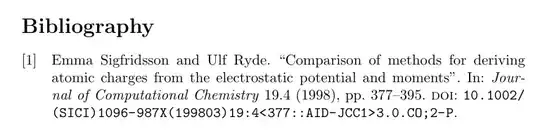
Internally, biblatex uses also uses \refname and \bibname, but you can't redefine those commands directly, since their contents are overwritten by biblatex's bibliography strings. (It's similar if you load babel. Definitions in the preamble are overwritten by babel's language initialisation. You'd need to use \appto\captions<language>, see How to change the name of document elements like "Figure", "Contents", "Bibliography", "Appendix", etc.?) The biblatex way of redefining \refname is to redefine the bibstring references. Analogously you redefine \bibname by redefining the bibstring bibliography.
\documentclass{article}
\usepackage[utf8]{inputenc}
\usepackage{biblatex}
\DefineBibliographyStrings{english}{
  references = {Bibliography},
}
\addbibresource{biblatex-examples.bib}
\begin{document}
\section{Introduction}
Lorem \cite{sigfridsson}
\newpage
\printbibliography
\end{document}
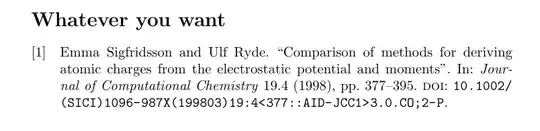
For a one-off change you can also use \printbibliography's title argument
\documentclass{article}
\usepackage[utf8]{inputenc}
\usepackage{biblatex}
\addbibresource{biblatex-examples.bib}
\begin{document}
\section{Introduction}
Lorem \cite{sigfridsson}
\newpage
\printbibliography[title=Whatever you want]
\end{document}
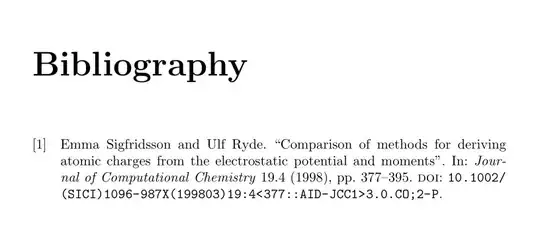
If you always manually force a \newpage before a new \section (like you did in the example before \printbibliography) that suggests you might want to look into a document class with actual chapters that start on new pages automatically. In that case you'd be looking at report-like classes where the bibliography heading is automatically "Bibliography". Note that the reports have \chapters as the higher-level heading.
\documentclass{report}
\usepackage[utf8]{inputenc}
\usepackage{biblatex}
\addbibresource{biblatex-examples.bib}
\begin{document}
\chapter{Introduction}
Lorem \cite{sigfridsson}
\printbibliography
\end{document}


\renewcommand{\bibname}{Bibliography}is the command for the older packagebibtex. Since you are usingbiblatex, you need\printbibliography[title = Bibliography]. – marquinho Aug 10 '22 at 14:34