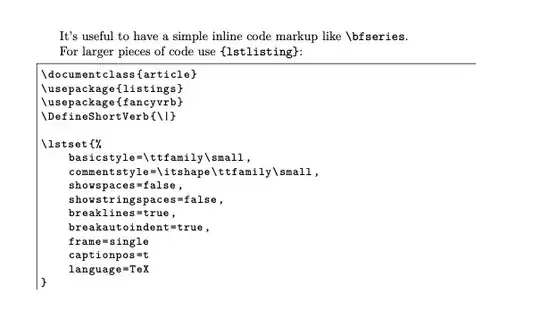
If you don't need the complexity of using showexpl as in Rmano's answer, you can just use listings alone (although for demonstrating examples and code together it's fantastic). I usually combine it with fancyvrb which makes inline code simple to write also. Here's just one possible setup, which I use in documenting my own packages listings, but is highly configurable so you can choose a format that suits you.
\documentclass{article}
\usepackage{listings}
\usepackage{fancyvrb}
\DefineShortVerb{\|}
\lstset{%
    basicstyle=\ttfamily\small,
    commentstyle=\itshape\ttfamily\small,
    showspaces=false,
    showstringspaces=false,
    breaklines=true,
    breakautoindent=true,
    frame=single
    captionpos=t
    language=TeX
}
\begin{document}
It's useful to have a simple inline code markup like |\bfseries|.
For larger pieces of code use |{lstlisting}|:
\begin{lstlisting}
\documentclass{article}
\usepackage{listings}
\usepackage{fancyvrb}
\DefineShortVerb{|}
\lstset{%
    basicstyle=\ttfamily\small,
    commentstyle=\itshape\ttfamily\small,
    showspaces=false,
    showstringspaces=false,
    breaklines=true,
    breakautoindent=true,
    frame=single
    captionpos=t
    language=TeX
}
\end{lstlisting}
\end{document}