0

The text is not placed properly here and it is superimposed on the figure.
Is there any way to fix this problem and still keeps the layout? I want to put text right below the image B instead if leaving it empty. The order of the images are not so important but I want them to close to each other and there is no waste space.

enter image description here

and this is what I have with figure*:

enter image description here

but this is what I want:

enter image description here

\documentclass[journal]{IEEEtran}
\usepackage{subfig}
\usepackage{graphicx}
\usepackage{lipsum}

\begin{document} \lipsum[1]

\begin{figure}[!t]

\centering

\begin{minipage}[b]{0.5\textwidth} \centering \includegraphics[width=0.9\textwidth]{example-image-a} \caption{legend} \label{fig:fig} \end{minipage}% \begin{minipage}[b]{.5\textwidth} \centering \includegraphics[width=0.9\textwidth]{example-image-b} \caption{legend} \label{fig:fig} \end{minipage}

\bigskip

\begin{minipage}{.5\textwidth} \centering \includegraphics[width=0.9\textwidth]{example-image-c} \caption{legend} \label{fig:fig} \end{minipage}

\end{figure}

\lipsum[2-6] \end{document}

emnha
  • 445
  • 3
  • 11
  • In a two column document a single figure is only one column wide (the fact that your contents are wider doesn't change this outside the figure). You could use figure* instead (that one is two columns wide), but the text in the second column would start on the same height as in the first this way. – Skillmon Aug 29 '22 at 05:10
  • 1
    If you place every image in its own figure environment you'll get the placements you want (though the ordering would be different, column 1 would contain figure 1 and 2, and column 2 contained figure 3). Though this might come out different depending on the contents of your real document (and especially the figure sizes). – Skillmon Aug 29 '22 at 05:13
  • @Skillmon I tried 3 separate figure enviroments but couldn't get the order as you said. They're separate by text as well. It is ok of there are two figures on top and one on the bottom and there is no waste space. I want these 3 figures are close to each other like this. – emnha Aug 29 '22 at 05:43
  • use figure* not figure for A-B figure, so it spans the page. – David Carlisle Aug 29 '22 at 06:31
  • @DavidCarlisle it doesn't work as expected. please see the update. – emnha Aug 29 '22 at 06:40
  • no you didn't do as I suggested your image shows you used figure* for C as well, but just using three figure would be the usual way. – David Carlisle Aug 29 '22 at 06:43
  • @DavidCarlisle ok but how would you ensure that they're always close to each other and not splited by text? – emnha Aug 29 '22 at 06:49

3 Answers3

3

What you show is the standard layout for three figures.

enter image description here

\documentclass[journal]{IEEEtran}
\usepackage{subfig}
\usepackage{graphicx}
\usepackage{lipsum}

\begin{document} \lipsum[1]

\begin{figure}[tp] \centering \includegraphics[width=\columnwidth]{example-image-a} \caption{legend} \label{fig:figaa} \end{figure} \begin{figure}[tp] \centering \includegraphics[width=\columnwidth]{example-image-b} \caption{legend} \label{fig:figb} \end{figure} \begin{figure}[tp] \centering \includegraphics[width=\columnwidth]{example-image-c} \caption{legend} \label{fig:figc} \end{figure}

\lipsum[2-6] \end{document}

David Carlisle
  • 757,742
  • I did try this first but it doesn't really work in my real document. One image is on one page and then paragraph and then two images are on the next page. These images don't locate near each other. That is why I tried to use minipage to combine them. – emnha Aug 29 '22 at 07:16
  • Your minipage construct is forcing the output you showed as you place two figures side by side in one column, necessarily over printing the other column, so this is the answer to the question as asked, but perhaps you want to ask a different question. @emnha – David Carlisle Aug 29 '22 at 07:20
  • I tried Zarko answer and it works. Not sure if it will work for all different text layout. – emnha Aug 29 '22 at 07:22
  • @emnha yes that was what I suggested in comments: figure* for A-B, but really you shouldn't need it here – David Carlisle Aug 29 '22 at 07:23
  • Proably I misunderstood your suggestion. I tried figure* and figure but not minipage. Probably that is why I didn't succeed. Btw, why is it not necessary? Your solution work for the lipsum text but doesn't work in my real document. I understand that it is because there is no constraint to force them to stay together. – emnha Aug 29 '22 at 07:26
  • @emnha there is nothing forcing them to stay together but latex is not forcing them apart.You may have something in your document preventing three floats on a page but hard to guess what that is if you show no example. The situation is basically the same in Zarko's answer except that has 2 floats not 3, so there is a reduced possibility of them floating apart. But feel free to accept Zarko's answer, both of us have more points than needed and can manage without a green tick:-) – David Carlisle Aug 29 '22 at 07:37
  • I'm still looking for a solution which improve Zarko's answer a bit that make it one float only instead of two. – emnha Aug 29 '22 at 07:50
  • 1
    @emnha you can not. latex float regions are rectangular. – David Carlisle Aug 29 '22 at 07:53
1

With use of combination of the figure* and figure, and package stfloats (which enable to positioning of figures on the same page where are inserted in text):

\documentclass[journal]{IEEEtran}
\usepackage{stfloats}
\usepackage{graphicx}
\usepackage{lipsum}

\begin{document} \lipsum[1] \begin{figure}[!tp] \begin{minipage}[b]{0.5\textwidth} \centering \includegraphics[width=0.9\linewidth]{example-image-a} \caption{legend} \label{fig:fig} \end{minipage}% \begin{minipage}[b]{.5\textwidth} \centering \includegraphics[width=0.9\linewidth]{example-image-b} \caption{legend} \label{fig:fig} \end{minipage} \end{figure} \begin{figure}[!tp] \centering \includegraphics[width=0.9\linewidth]{example-image-c} \caption{legend} \label{fig:fig} \end{figure}

\lipsum[2-6] \end{document}

enter image description here

Zarko
  • 296,517
  • I just tried and this works. However, I haven't tried all text layout to check that if it always works. – emnha Aug 29 '22 at 07:23
  • Would ever the the two images in 'figure*' and the image in 'figure' are splited by text? – emnha Aug 29 '22 at 07:36
  • @emnha, I don't see any reason, why proposed solution will not work. If images are inserted as is shown in MWE, will always stick together. However, I don't see any reason why image should be inserted on the way as you wish. More normally is that they follow each other in one column ... but this up to you. – Zarko Aug 29 '22 at 07:55
  • @emnha as in my answer the floats will only go to separate pages if you place something on the page forcing them apart – David Carlisle Aug 29 '22 at 07:56
  • @Zarko these three images are related to I don't want them to fall apart by text. In my previous post, Mico gave a solution with one column but I like this layout better so I made this post. – emnha Aug 29 '22 at 08:02
  • @DavidCarlisle I don't quite understand how. But two images are on one column in a page and the other is on one column in the other page and the text is inserted between them. Probably I can adjust later when I finish. – emnha Aug 29 '22 at 08:04
1

Must this arrangement appear on the first page of your document?

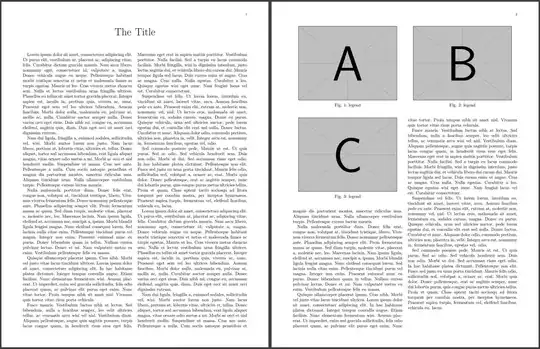
If no, you could just insert two first figures inside starred figure* with two minipages but this will be pushed to the next page. If you have enough amount of text on the first page, the third figure should be placed in the first column on the second page, just after the big float* spanning two columns, as long as the option is set to [t]
enter image description here

\documentclass[journal]{IEEEtran}
\usepackage{caption}
\usepackage{graphicx}
\usepackage{lipsum}

\title{The Title}

\begin{document} \maketitle

\begin{figure} \begin{minipage}{\dimexpr 0.5\textwidth - 0.5\columnsep} \centering \includegraphics[width=0.9\linewidth]{example-image-a} \captionof{figure}{legend}\label{fig:fig1} \end{minipage}% \hspace{\columnsep}% \begin{minipage}{\dimexpr 0.5\textwidth - 0.5\columnsep} \centering \par\includegraphics[width=0.9\linewidth]{example-image-b} \captionof{figure}{legend}\label{fig:fig2} \end{minipage} \end{figure}

\lipsum

\begin{figure}[!t] \centering \includegraphics[width=0.9\linewidth]{example-image-c} \caption{legend}\label{fig:fig3} \end{figure}

\lipsum \end{document}

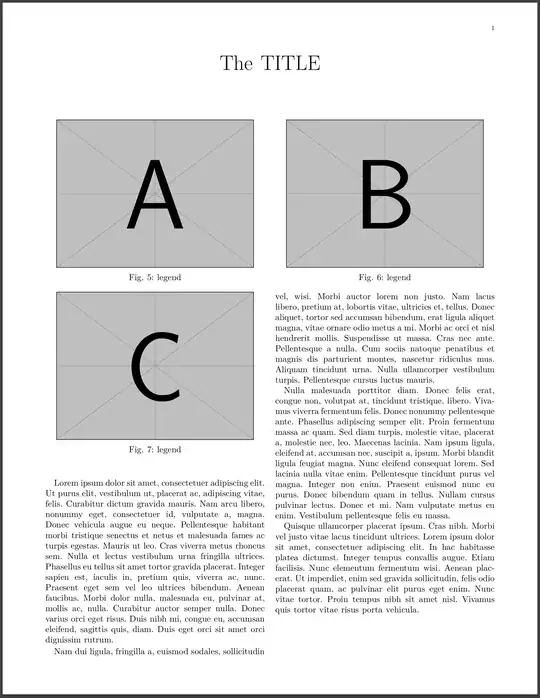
If you need this arrangement on the first page, one way I found in this answer is to use minipages in the title
enter image description here

\documentclass[journal]{IEEEtran}
\usepackage{caption}
\usepackage{graphicx}
\usepackage{lipsum}

\title{% The TITLE

\centering \vspace{2cm}% \begin{minipage}{\dimexpr 0.5\textwidth - 0.5\columnsep} \centering \includegraphics[width=0.9\linewidth]{example-image-a} \captionof{figure}{legend}\label{fig:fig1} \end{minipage}% \hspace{\columnsep}% \begin{minipage}{\dimexpr 0.5\textwidth - 0.5\columnsep} \centering \par\includegraphics[width=0.9\linewidth]{example-image-b} \captionof{figure}{legend}\label{fig:fig2} \end{minipage} \vspace{-1cm} \par}

\begin{document} \maketitle

\begin{figure}[!t] \centering \includegraphics[width=0.9\linewidth]{example-image-c} \caption{legend}\label{fig:fig3} \end{figure} \lipsum[1-4] \end{document}

Otherwise, @David's answer works and is the easiest and probably most recommended approach. You just need to play with amount of text to achieve your layout.

Update.
One way to keep all images together in this layout is to put everything in one float*. However, that creates a box spanning two rows of images leaving a gap in the right column.

\raisebox{}[][]{} can be used to reduce vertical dimension of its content, here the float*. Now, the third image overlaps the text in the left column as the box spans only one row. Therefore, \vspace*{} is appended right after \newpage to compensate for it. \savebox let us obtain dimensions of the third image with a caption.

\documentclass[journal]{IEEEtran}
\usepackage{caption}
\usepackage{graphicx}
\usepackage{lipsum}

\title{The Title}

\newsavebox\myimage \newlength\himage

\begin{document} \sbox\myimage{% \begin{minipage}{\dimexpr 0.5\textwidth - 0.5\columnsep} \centering \includegraphics[width=0.9\linewidth]{example-image-c} \captionof{figure}{legend} \end{minipage}} \setlength\himage{\dimexpr\ht\myimage+\dp\myimage+\intextsep}

\maketitle

\lipsum

\begin{figure*}[t] \begin{minipage}{\dimexpr 0.5\textwidth - 0.5\columnsep} \centering \includegraphics[width=0.9\linewidth]{example-image-a} \captionof{figure}{legend}\label{fig:fig1} \end{minipage}% \hspace{\columnsep}% \begin{minipage}{\dimexpr 0.5\textwidth - 0.5\columnsep} \centering \par\includegraphics[width=0.9\linewidth]{example-image-b} \captionof{figure}{legend}\label{fig:fig2} \end{minipage}

\raisebox{\dimexpr-\depth-\textfloatsep-\baselineskip}[0pt][0pt]{% \begin{minipage}{\dimexpr 0.5\textwidth - 0.5\columnsep} \centering \includegraphics[width=0.9\linewidth]{example-image-c} \captionof{figure}{legend}\label{fig:fig3} \end{minipage}} \end{figure*}

\newpage\vspace*{\himage} \lipsum[1-5] \end{document}

Celdor
  • 9,058
  • yes, it is not on the first page. I think your solution is same as Zarko which has 2 floats so there is a probability that they may fall apart. – emnha Aug 30 '22 at 02:46
  • See my update. It does keep all images together but now you have to tell latex where to start a page and add amount of vertical space equal to height of the third image because the float* only spans one row. Regarding the previous answers, IMO adding right amount of text before the third image should place the image right below the float* providing [t] is used at float. – Celdor Aug 30 '22 at 10:05