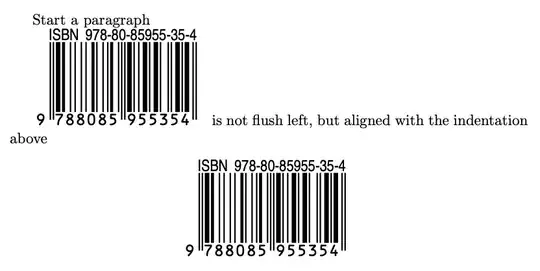
For unclear reasons, \EANisbn eventually does \vbox{...} and this is the cause of your problem: if \EANisbn appears between paragraphs it doesn't start one and the box is placed flush left whatever you try.
Add \leavevmode in front of \EANisbn or do
\mbox{\EANisbn{...}}
If you need the command several times, it makes sense to patch the relevant part so as to include \leavevmode.
\documentclass{book}
\usepackage[ISBN=978-80-85955-35-4,SC0]{ean13isbn}
\AddToHook{cmd/EANbox/before}{\leavevmode}
\begin{document}
Start a paragraph
\EANisbn[SC3] is not flush left, but aligned with the indentation above
\begin{center}
\EANisbn[SC3]
\end{center}
\end{document}
If you have an older (before October 2021) release of LaTeX, you can do the same job with \usepackage{etoolbox} and
\pretocmd{\EANbox}{\leavevmode}
instead of the \AddToHook line.


