Depending on the context, you can enclose the diagram in \[...\] to have it behave as displayed math. You can change h to f\circ g in the label but you need to adjust the label spacing slightly.
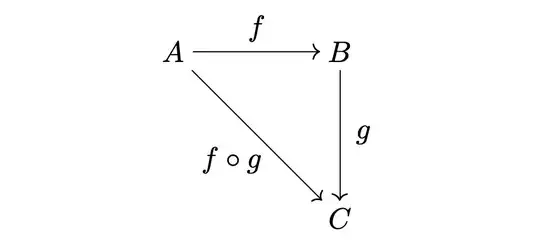
\documentclass{article}
\usepackage[arrow,cmtip]{xy}
\begin{document}
[
\begin{xy}
     (0,20)+{A}="a";
    (20,20)+{B}="b";
     (20, 0)+{C}="c";
     {\ar         "a";"b"}?!/_8pt/{f};
     {\ar    "a";"c"}?!/^12pt/{f\circ g};
     {\ar "b";"c"}?!/_8pt/{g};
\end{xy}
]
\end{document}
However, you might consider switching to tikz-cd, which fixes many spacing issues in xy and has much more intuitive code, as well as having many more options.
The default for arrow labels is \scriptstyle, so you need labels = {font = \normalsize} to have the larger labels. Remove that bit of code for the default labels. But also, see @Qrrbrbirlbel's comment below.
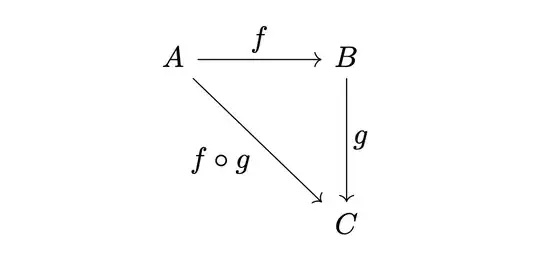
\documentclass{article}
\usepackage{tikz-cd}
\begin{document}
[
\begin{tikzcd}[row sep=1.5cm, column sep=1.5cm, labels = {font = \normalsize}]
A\arrow[r, "f"]\arrow[rd, "f\circ g"'] & B\arrow[d, "g"]\
& C
\end{tikzcd}
]
\end{document}


