Ok, the request is for a primer in websearch.
It's an iterative process:
- you start somewhere
- you refine your search
- you select best solutions
Potential shortcuts
Whatch the right side under Related, showing links within this place. E.g. inspecting these lead you to either a solution or: new search terms. Take notes and watch the Related there, as well ...
What are the Open source WYSIWYG Independent Web Equation Editors available on LaTeX/MathML
Visual Equation Editor to LaTeX Code
Iterations
Start somewhere, e.g. using your title as search term:
ink Equation in Latex . Almost the first entry leads me to Mathpix , which probably is already what you are looking for.
Check out the other links listed from this search term alone.
Refinements
- consult your notes, for synonyms, technical terms, nerdy slang etc.
- same for the websites you followed by aboves links
- use the search engines proposals as well, see screenshots
- and of course try alternative mathpix and similar as serach term
As is:
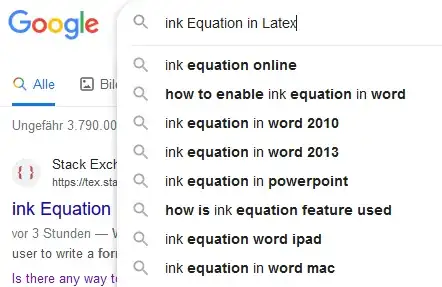
Reduced/modified:

If you are really nerdy:
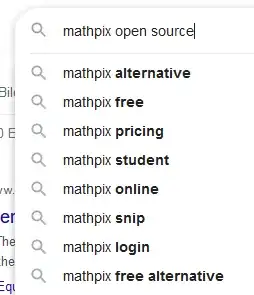
Verification
TRY your findings in this sites search box as well, e.g. https://tex.stackexchange.com/search?q=mathpix, which leads to e.g. Tikz tools like mathpix ?
Using latest technology (with care)
You can try AI, like so. This one seems to compile some own websearches into something presentable:
https://www.phind.com
How to find what I want by a websearch?
Answer | gpt-3.5 Model
To find what you want by a web search, you can use filters to narrow down your results. Here are some tips to help you out:
Use site or domain filters to search for results from a specific website or domain.
Try filtering results based on where your search terms appear in the page, such as the title, text, or URL.
Use SafeSearch to remove explicit results.
Filter by file type to find specific formats like .pdf, .xls, or .ppt.
Use usage rights to find pages that have license information attached to them.


In addition, you can try using alternative search engines like SearX, which offers unbiased results from several sources and allows for customization and hosting on your own server.


