0

I'm trying to annotate a picture, so I start to include it and drawn a red square around it : (file.jpg)

\documentclass[tikz, border=1cm]{standalone}
\usepackage{tikz}

% https://tex.stackexchange.com/questions/219356/how-to-create-a-rectangle-filled-with-image-using-tikz \usepackage[skins]{tcolorbox}

\begin{document} \begin{tikzpicture}

    % Test 1
    \node[anchor=south west, scale=1] at (0,0) {\resizebox{320cm}{180cm}{%
            \includegraphics{file.jpg}%
        }%
    };

    % Test 2
    %\path[fill stretch image=watermanMin.jpg] (0,0) rectangle (320cm,180cm);
    \draw [red] (0,0) rectangle (320cm, 180cm);
\end{tikzpicture}

\end{document}

But it seems that the include picture is larger than 320cm. I have this problem for the 2 solution tested.
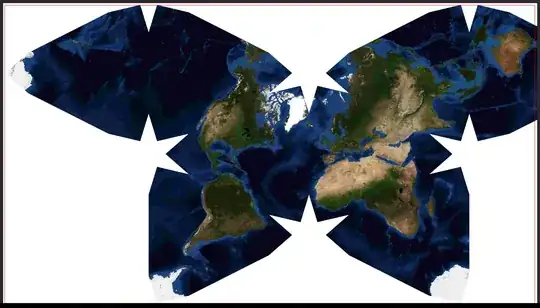
Result : Picture larger than the red rectangle of the same size

Can someone know the way to fix this problem ?

(I have also Dimension too large, but the 3m20 of the picture is smaller than the 5m max size)

Capt_
  • 145
  • 10
  • Can you check your link to file.jpg? Something's not right. – Qrrbrbirlbel Jul 08 '23 at 21:30
  • I'd start by setting inner sep = 0pt, outer sep = 0pt for the node. – Qrrbrbirlbel Jul 08 '23 at 21:33
  • Thanks ! I have changed the file.jpg link ! I've just tried with inner sep = 0pt, outer sep = 0pt and no success. – Capt_ Jul 08 '23 at 21:37
  • I have had % after each line in the node. It's a little better. I have also tried on a smaller picture with the same tikz dimension and it was ok. Maybe because of the file source.jpg ? – Capt_ Jul 08 '23 at 21:45

1 Answers1

2

Your image is too big. It reports a size of 18710 × 10502 pixels. With a DPI of 72 this 6.6m×3.7m. Too much for TeX to handle!

You will need to increase its DPI or decrease its actual pixel size.

Changing the DPI won't reduce the quality of the image which seems more important than saving a few kilobytes when producing a poster.


Instead of \resizebox I'd just use the options for \incudegraphics directly and also keepaspectratio. No need to provide both lengths.

Setting inner sep to zero is barely noticeable when dealing with these sizes but it doesn't hurt. The value of outer sep won't lead to a differenz sizes page or image but it will more correctly place the actual lower-left corner of the image at the specified coordinate. (Which also will place the red rectangle more correctly but again, at these sizes …)


The code below reports a paper size of 3220 mm × 1820 mm.

Code

\documentclass[tikz, border=1cm]{standalone}
\begin{document}
\begin{tikzpicture}[inner sep=+0pt, outer sep=+0pt]
\node[anchor=south west] at (0,0) {
  \includegraphics[width=320cm, keepaspectratio]{file-dpi}
};
\draw [red] (0,0) rectangle (320cm, 180cm);
\end{tikzpicture}
\end{document}
Qrrbrbirlbel
  • 119,821
  • 1
    You could actually set the DPI so that the image is roughly 320cm×180cm. I don't think it matters, though. I've just used 144 (2×72). – Qrrbrbirlbel Jul 08 '23 at 22:07
  • 1
    It worked perfectly! I'd never have thought of that, thank you so much! – Capt_ Jul 08 '23 at 22:15