1

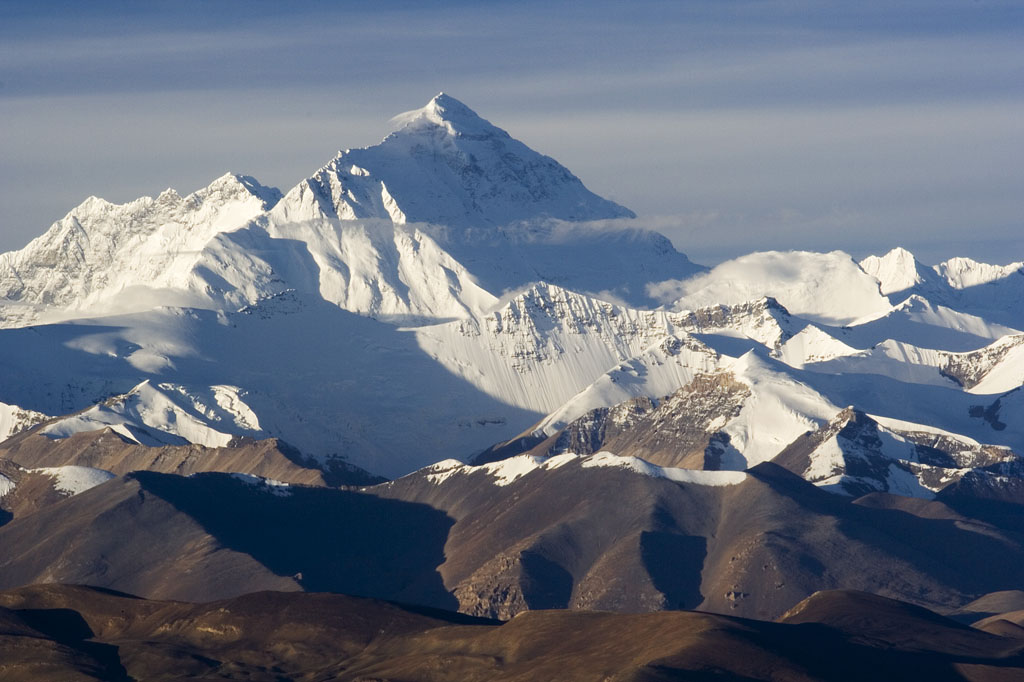
I am trying to overlay a shaded transparent box on an image, to be able to write inside the box as in:

\documentclass{report}
\usepackage{xcolor}
\definecolor{lblue}{RGB}{15,77,158}
\usepackage{tikz}

\begin{document}

\begin{tikzpicture} \node[] at (0,0) {\includegraphics[width=0.9\textwidth,]{IMG_2124_Everest.jpg}}; \shade [left color=lblue, right color=lblue, opacity=0.6] (-4,1) rectangle (4,2.5); \node[shift={(-0.0cm,1.73cm)}] at (0,0) { \textcolor{white}{\Huge\textbf{Mount Everest}} }; \end{tikzpicture}

\end{document}

Image from: http://upload.wikimedia.org/wikipedia/commons/0/00/IMG_2124_Everest.jpg

and I would like to fade the border of the shaded box in order to decrease the visibility of the line that defines it.

I have read:

but I am lost on how to apply it to a shaded box. Is that even possible?

Image from: http://upload.wikimedia.org/wikipedia/commons/0/00/IMG_2124_Everest.jpg

1 Answers1

2

This solution uses a foreach loop to go from an inner rectangular box to an outer box with rounded corners. For other solutions, see linked questions in OP.

\documentclass[tikz, border=1cm]{standalone}
\usetikzlibrary{fadings}
\pgfmathsetmacro{\mywidth}{9}
\pgfmathsetmacro{\myheight}{3.5}
\pgfmathsetmacro{\myfadewidth}{1}
\begin{tikzfadingfrompicture}[name=myfading]
\foreach \i in {100,...,0}
\fill[transparent!\i, rounded corners=\myfadewidth/100*\i cm] (-\mywidth/2-\myfadewidth/100*\i+\myfadewidth,-\myheight/2-\myfadewidth/100*\i+\myfadewidth) rectangle (\mywidth/2+\myfadewidth/100*\i-\myfadewidth,\myheight/2+\myfadewidth/100*\i-\myfadewidth);
\end{tikzfadingfrompicture}
\begin{document}
\begin{tikzpicture}
\node {\includegraphics[width=12cm]{example-image}};
\node[
fill=blue, text=white, 
fill opacity=0.6, text opacity=1,
minimum width=\mywidth cm, minimum height=\myheight cm,
path fading=myfading, fit fading=false,
font=\Huge\bf,
yshift=1.5cm, fading transform={yshift=1.5cm},
] {Mount Everest};
\end{tikzpicture}
\end{document}

The text "Mount Everest" in a faded blue box on an example-image

The text "Mount Everest" in a faded blue box on image of Mount Everest

Instead of a loop, a \pgfdeclarefunctionalshading could be used, but that is not simple and this warning is in the manual:

These shadings are the least portable of all and they put the heaviest burden of the renderer. They are slow and, possibly, will not print correctly!