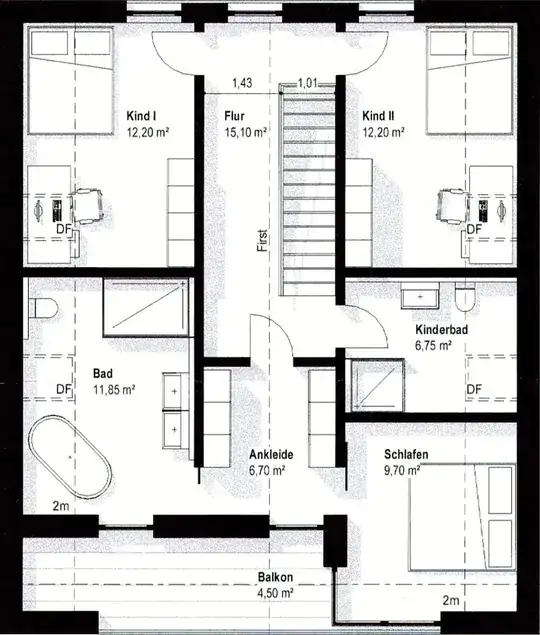
The following MWE shows how to draw a background image with scaling and adding a predefined "PowerSupply" pic to it. This works great but the problem is, that the position where I want to set the pic needs to be aligned to one of its border (depending on the used angle).
In this case I have turned the pic by 270°. The installation position is given by me with \pic at (3590,2000) {PowerSupply}; to be on the left side of the shown wall below the door. This position fits exactly but the pic position is probably aligned with his center position. So the pic is shown "inside" of the wall. I would like to align it with the North Border (in this case because of 270° angle) to be a few pt's left.
\documentclass{article}%
\usepackage[a4paper,left=10mm,right=10mm,top=10mm,bottom=10mm]{geometry}%
\usepackage{courier}%
\usepackage[T1]{fontenc}%
\usepackage[parfill]{parskip}%
\usepackage[utf8]{inputenc}%
\usepackage{caption}%
\usepackage{graphicx}%
\usepackage{tikz}%
\tikzset{
PowerSupply/.pic={
\node{\includegraphics[scale=0.09,angle=270]{powerSupply.png}};},
}
\begin{document}
\pagenumbering{gobble}
\vspace*{\fill}
\begin{figure}[h!]
\centering
\scalebox{1.0}{
\begin{tikzpicture}[x=0.01mm, y=-0.01mm]
\node[inner sep=0pt] (ground_floor) {\includegraphics[width=99.0mm,height=107.4mm]{groundFloor.png}};
\tikzset{shift=(ground_floor.north west)}
[![enter image description here][1]][1]
\draw[blue, ->, line width=1pt] (0,0) -- (10000,0);
\foreach \x in {0,1000,...,9000} \draw[blue, line width=1pt] (\x,-100) --node[black, above=1mm]{\tiny\x mm} (\x,100);
\draw[blue, ->, line width=1pt] (0,0) -- (0,11000);
\foreach \y in {0,1000,...,10000} \draw[blue, line width=1pt] (-100,\y) --node[black, left=1mm]{\tiny\y mm} (100,\y);
\pic at (3590,2000) {PowerSupply};
\end{tikzpicture}}
\caption{Ground Floor}
\end{figure}
\vfill
\clearpage
\end{document}

EXAMPLE PICS