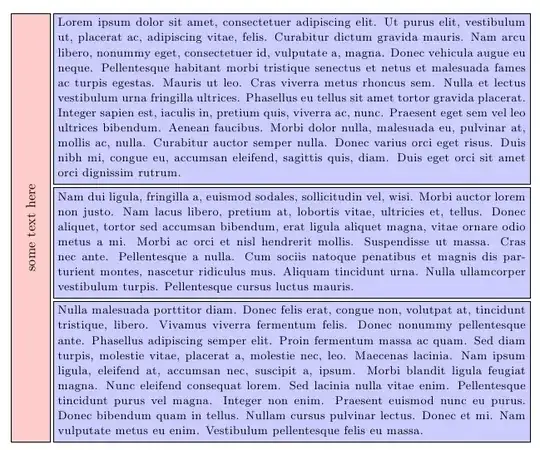
I've been trying to get the fit key in TikZ to scale a node so that it matches only the height of it's fit nodes but I haven't been successful. I'm trying to get the red box to be the size of the blue boxes:

\documentclass{article}
\usepackage{tikz}
\usepackage{lipsum}

\usetikzlibrary{positioning,fit}
\newcommand{\filler}[1]{\begin{minipage}{12cm}\small\lipsum[#1]\end{minipage}}
\thispagestyle{empty}

\begin{document}

\begin{tikzpicture}[node distance=0pt,outer sep = 2pt, text centered]
\tikzstyle{box}=[rectangle,draw,inner sep=0em]

\tikzstyle{vline}=[box, rotate=90, fill=red!20, minimum height=1cm]
\tikzstyle{hline}=[box, fill=blue!20, minimum width=10cm]

\node[vline] (a) at (0,0) {\textbf{How do I extend this node to fit?}};
\node[hline] (b1) [below right = of a.south east] {\filler{1}};
\node[hline] (b2) [below = of b1] {\filler{2}};
\node[hline] (b3) [below = of b2] {\filler{3}};
\end{tikzpicture}

\end{document}
Question: for node a, how do I keep the x dimension fixed, while the y dimension scales to the height of nodes (b1,b2,b3)?



a, you can writeminimum height=0pt– hpesoj626 Mar 29 '13 at 21:53