8

enter image description here

Karl is a list of randomly generated nodes by \curvepnodes using parametric points in RPN (I don't know how to use rand in algebraic expression). The number of elements of the list is \Karlnodecount + 1 or plotpoints.

In the documentation, I only see \psnline to connect the list with a straight line segment between two consecutive nodes. To close the path, I invoke \closepath inside \pscustom.

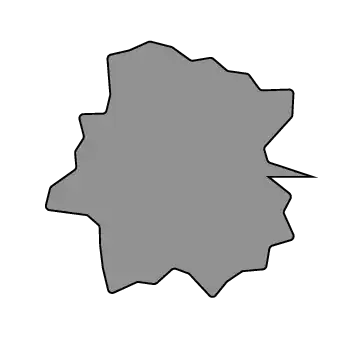
  • Unfortunately, the closing line segment does not look smooth.
  • Instead of using a straight line segment, I want to use a curved one. Using \psparametricplot[plotstyle=curve] does help a bit but the closing segment is still problematic.
enter image description here

\documentclass[pstricks]{standalone}
\usepackage{pst-plot,pst-node}
\psset
{
    fillstyle=solid,
    fillcolor=gray,
    linearc=2pt,
}
\begin{document}
\begin{pspicture}(-3,-3)(3,3)
\curvepnodes[plotpoints=40]{0}{360}{/R rand 1001 mod 1000 div 1.5 add def R t cos mul  R t sin mul}{Karl}
\pscustom
{
    \psnline(0,\Karlnodecount){Karl}
    \closepath
}
\end{pspicture}
\end{document}

I also tried using \multido and \curveto but \curveto needs 3 points per invocation (two of them are control points of a bezier curve).

How to draw a closed smooth curve from a list of nodes?

  • Does it have to be pstricks? I'm sure you can do this with tikz. – Anke Apr 09 '13 at 12:22
  • @Anke: The bounties are offered for a single correct answer in PSTricks. I am so sorry. Solutions in TikZ are welcome but there is no bounty for them. – kiss my armpit Apr 09 '13 at 12:25
  • 1
    It's ok, I'm no bounty hunter ;) If it was just about getting the desired result, I could have helped. But if this is just about proving a point or whatever, I'm not going to bother trying to help with tikz. – Anke Apr 09 '13 at 12:32

4 Answers4

11

Sorry, I don't know PSTricks, but for comparison, this is the Metapost equivalent of Jake's TikZ solution:

enter image description here

\starttext

\startMPpage[offset=3mm]

  path p;
  p := for i = 0 step 10 until 350 : (1 randomized 1)*dir(i) .. endfor cycle;
  draw p scaled 1cm;

\stopMPpage


\stoptext
Aditya
  • 62,301
  • 4
    Ha, wow, Metapost is succinct! +1 – Jake Apr 09 '13 at 13:09
  • 3
    @Jake: Yes, after all, metapost follows the syntax of metafont, a language designed by Knuth: succinct, precise, and weird (in the same way as TeX is weird). – Aditya Apr 09 '13 at 13:34
11
\documentclass{article}
\usepackage{pst-node,multido}
\SpecialCoor
\pstVerb{1234 srand} 
\def\PlotImage#1{% #1: no of points
  \pstVerb{ /Step 360 #1 div def } \def\randompath{}
  \multido{\i=0+1}{#1}{%
    \xdef\randompath{\randompath(! Rand 2 mul 1 sub 2.5 add \i\space Step mul PtoC  )}}%
  \begin{pspicture}[showgrid=false](-3,-3)(3,3)
    \psset{fillstyle=solid,fillcolor=black!20}
    \expandafter\psccurve\randompath
    \psset{linecolor=red,opacity=0.4,fillcolor=blue!40}
    \expandafter\psccurve\randompath
  \end{pspicture}}

\begin{document}

\PlotImage{36}  \PlotImage{142}

\end{document}

enter image description here

10

\documentclass{article}
\usepackage{tikz}
\usetikzlibrary{hobby}
\begin{document}
\pgfmathsetseed{2}
\edef\randompath{}
\foreach \theta in {0,10,...,350} {
    \pgfmathsetmacro\r{rnd+1}
    \xdef\randompath{\randompath (\theta:\r) ..}
}
\begin{tikzpicture}[use Hobby shortcut]
\expandafter\draw\randompath cycle;
\end{tikzpicture}
\end{document}
Jake
  • 232,450
  • 1
    It's not PSTricks, but it's a wonderful example of how elegant PGF/TikZ can be. +1. – Sean Allred Apr 09 '13 at 12:36
  • 1
    There is a special bounty of 250 for your \xdef technique. I will be given at the last in your answer in another question (not this question because the fifth bounty cannot be 250). – kiss my armpit Apr 09 '13 at 13:38
  • 1
    That reminds me ... I must upload the latest version of hobby to CTAN. Then it becomes a smidgeon easier: \draw[use Hobby shortcut] ([closed]0:rnd+2) \foreach \ang in {0,10,...,350} { .. (\ang:rnd+2) }; – Andrew Stacey Apr 09 '13 at 19:53
  • 1
    I get Use of \tikz@curveto@double doesn't match its definition.. I have a recent version of hobby. The problem seems to come from cycle – Alain Matthes Apr 17 '13 at 05:46
  • @AlainMatthes Didn't spot that comment. I messed around with the internals of the package and broke the cycle syntax (I think irreparably). See http://tex.stackexchange.com/a/121310/86 for more details. – Andrew Stacey Jul 09 '13 at 07:59
0

The bullet proof solution.

\documentclass[pstricks]{standalone}

\usepackage{pst-node,pst-plot}
\psset{fillstyle=solid,fillcolor=gray}

\def\points{}
\pstVerb{realtime srand}
\def\N{25}

\begin{document}
\begin{pspicture}(-3,-3)(3,3)
\curvepnodes[plotpoints=\N]{0}{360}{rand 16 mod 15 div 1.5 add t PtoC}{P}
\multido{\i=0+1}{\Pnodecount}{\xdef\points{\points (P\i)}}
\expandafter\psccurve\points
\end{pspicture}
\end{document}