How can I get multiple left-margin bars using the mdframed package? I can get a single left bar using, e.g.
\documentclass{article}
\usepackage{mdframed}
\begin{document}
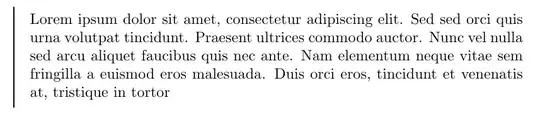
\begin{mdframed}[linewidth=1,topline=false,rightline=false,bottomline=false]
Lorem ipsum dolor sit amet, consectetur adipiscing elit. Sed sed orci quis urna volutpat tincidunt. Praesent ultrices commodo auctor. Nunc vel nulla sed arcu aliquet faucibus quis nec ante. Nam elementum neque vitae sem fringilla a euismod eros malesuada. Duis orci eros, tincidunt et venenatis at, tristique in tortor
\end{mdframed}
\end{document}
with output
The motivation for this question is to format email correspondence in LaTeX. So if an email cites a previous email that cites a previous email, two left bars will be needed.. To achieve this one could try to nest the mdframed environments to get something like

The problem with the latter is that mdframed environment does not allow page breaks for nested environments. It means that it will break down if the cited text takes up more than a page. If the enivronment is not nested, it allows page breaks though..
More specifically, for the general case, I would like to have an environment say myframe taking an integer argument that specifies the number of left bars to use. Such that I could write, for instance
\documentclass{article}
\usepackage{mdframed,lipsum}
\begin{document}
\def\numbars{3}
\begin{myframe}{\numbars}
  \lipsum[1-10]
\end{myframe}
\end{document}


vbox. Your second issue can be solved. – Marco Daniel May 24 '13 at 08:07framemthoddo you want to use? Most users are usingframemethod=tikz. Related to your method, the modification must be done. – Marco Daniel May 24 '13 at 08:28tikzyou have more possibilities. – Marco Daniel May 24 '13 at 08:58tikzthen.. – Håkon Hægland May 24 '13 at 09:01