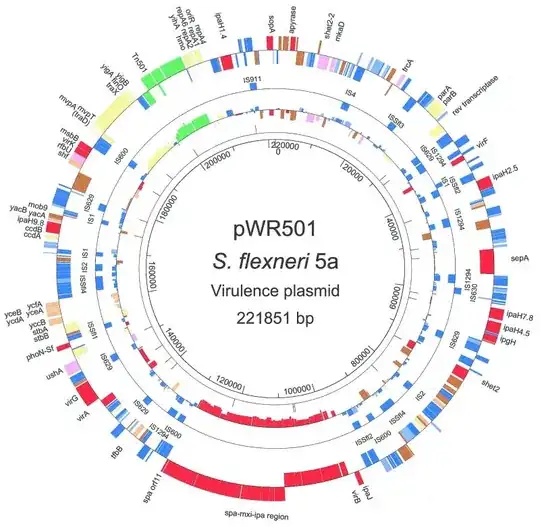
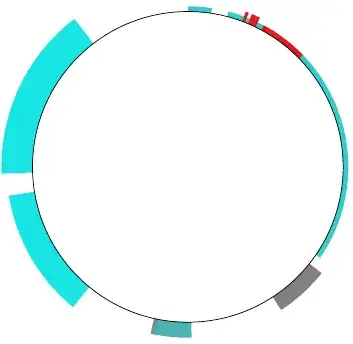
I agree with kgr generating the actual data should be done by a script. To have a certain readability (in case you need to manually tweak something afterwards, like e.g. highlight something with a special color) you should definitively go with a key-value interface as Qrrbrbirlbel suggested. I'd go with pgfkeys, which is already a part of TikZ. Here's a starting point with random data:
Code
\documentclass[tikz,border=2mm]{standalone}

\tikzset{
  plasmidopt/.is family,
  plasmidopt,
  radius/.initial=3,
  height/.initial=0.3,
  color/.initial=blue!50,
  start angle/.initial=0,
  stop angle/.initial=6,
  scale/.initial=1,
}

\newcommand{\plasmidkey}[1] % access a specific key by name
{   \pgfkeysvalueof{/tikz/plasmidopt/#1}}

\newcommand{\plasmid}[1]{
  \tikzset{plasmidopt,#1} % Process Keys passed to command
  \fill[\plasmidkey{color}] (\plasmidkey{start angle}:\plasmidkey{radius}) arc (\plasmidkey{start angle}:\plasmidkey{stop angle}:\plasmidkey{radius}) -- (\plasmidkey{stop angle}:\plasmidkey{radius}+\plasmidkey{height}) arc (\plasmidkey{stop angle}:\plasmidkey{start angle}:\plasmidkey{radius}+\plasmidkey{height}) -- cycle;
}

\begin{document}

\begin{tikzpicture}
    \foreach \x in {0,5,...,359.9} % random data
    {   \pgfmathsetmacro{\mycolorvalue}{random(10,90)}
        \pgfmathsetmacro{\myheight}{0.1+rand}
        \pgfmathsetmacro{\myend}{\x+4*rnd+1}
        \plasmid{radius=3,height=\myheight,color=red!\mycolorvalue!cyan,start angle=\x,stop angle=\myend}
    }
    \draw circle (3);
\end{tikzpicture}

\end{document}
Output

Edit 1: What do you see when you're standing on the bottom of a manhole in New York at night, looking up?
Code
\begin{tikzpicture}
    \fill[inner color=black, outer color=black!70!blue] (0,0) circle (4.5);
    \foreach \star in {1,...,256}
    {   \pgfmathsetmacro{\starradius}{rnd/50}
        \fill[inner color=yellow,outer color=yellow!20!black] ({random(0,359)}:{3*rnd}) circle (\starradius);
    }
  \foreach \x in {0,5,...,359.9} % random data
  { \pgfmathsetmacro{\mycolorvalue}{random(10,90)}
    \pgfmathsetmacro{\myheight}{-rnd}
    \pgfmathsetmacro{\myend}{\x+4*rnd+1}
    \plasmid{radius=3,height=\myheight,color=yellow!\mycolorvalue!orange,start angle=\x,stop angle=\myend}
  }
  \fill(-4.5,-4.5) rectangle (4.5,4.5) (0,0) circle (3);
\end{tikzpicture}
Output