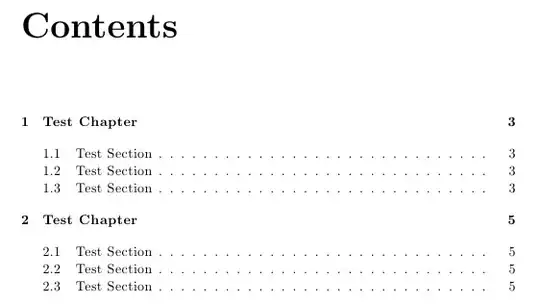
I have been trying to determine way to add space after a section or chapter line in my table of contents. tocloft allows me to add spacing before lines but not after, and this leads to spacing issues at the top of new pages (see this question).
I have tried using \preto and \appto commands, e.g.,
\preto\section{
  \addtocontents{toc}{\vskip 2pt}
}
\appto\section{
  \addtocontents{toc}{\vskip 5pt}
}
However, \appto causes errors (for reasons explained in another TeX.SX post). I also tried manually adding the ToC line:
\usepackage{nameref}
\makeatletter
\newcommand*{\currentname}{\@currentlabelname}
\makeatother

\setcounter{tocdepth}{0}

\preto\section{
  \addtocontents{toc}{\vskip 2pt}
  \addtocontents{toc}{
    \protect\contentsline{section}{\numberline{\thesection}\currentname}{}
  }
  \addtocontents{toc}{\vskip 5pt}
}
This also didn't work as it used the previous section name rather than the current section name (since it is called in \preto not \appto). This attempt also causes problems with hyperref.