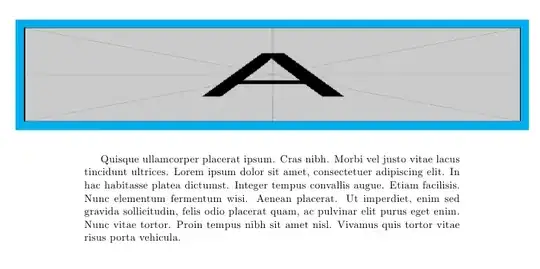
I have an image that is larger than the line width and I want to center it and I also want to have a colored frame around. I can get this two things done one at the time, but don't know how to achieve both!
for the colored square I use this:
\newcommand{\mybox}[2]{{\color{#1}\fbox{\normalcolor#2}}} %in the preamble

\mybox{grigio}{\includegraphics[scale=0.43]{life.jpg}} %in the document
I manage to center the image with this code:
\begin{figure}
\centering
\makebox[\columnwidth]{\includegraphics[...]{...}}
\end{figure}
Note that I don't want the image's width to be = to the text width. I want it bigger, but still centered. Thanks ;)



\linewidth; the question here is how to combine this with adding a colored frame. – Gonzalo Medina Aug 15 '13 at 17:55\makebox[..]{\mybox{..}{...}}, which is a duplicate of the linked post apart from a different macro that is used, in my opinion. Moreover, both your and SBS's answers follow exactly the same approach of nesting "whatever you want done" inside a\makebox, which is what is suggested as solution in the linked post. – Werner Aug 15 '13 at 18:09