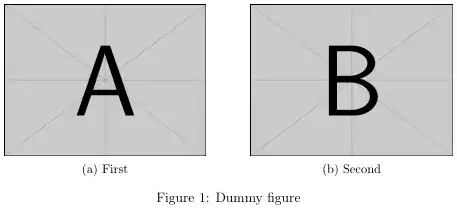
I want to insert to graphs into a paper. I want to make these two graphs arranged like the top 2 graphs in the following pic

however, using the following source, I can't see (a) and (b)
what are potential problems? thanks!
the source codes are with a IEEEtran.cls
    \documentclass[conference]{IEEEtran}

    \ifCLASSINFOpdf
       \usepackage[pdftex]{graphicx}
       \DeclareGraphicsExtensions{.pdf,.jpeg,.png,.eps}
    \else
       \usepackage[dvips]{graphicx}
       \DeclareGraphicsExtensions{.eps}
    \fi


    \usepackage{lscape}
    %\usepackage{subfigure}
    \usepackage{subcaption}

    \begin{document}

    \title{0000}

    \author{\IEEEauthorblockN{00000}}

    \maketitle
    \end{abstract}

    \IEEEpeerreviewmaketitle

    \section{0000}

      \begin{figure}[!htb]
        \begin{subfigure}[b]{0.45\textwidth}
          \includegraphics[width=.5\linewidth]{pic/loop.png}
          \caption{First}
          \label{subfig-1:dummy}
        \end{subfigure}
        \hfill
        \begin{subfigure}[b]{0.45\textwidth}
          \includegraphics[width=.3\linewidth]{pic/twopath.png}
          \caption{Second}
          \label{subfig-2:dummy}
        \end{subfigure}
        \caption{Dummy figure}
        \label{fig:dummy}
      \end{figure}

    \begin{thebibliography}{1}

    \end{thebibliography}

    \end{document}




subfigureenvironment. – Thorsten Donig Sep 11 '13 at 21:25\documentclassand ending with\end{document}. However, your code seems to mean you are using the obsoletesubfigurepackage (and in a wrong way). Note that Thorsten's solution usessubcaption, instead. – egreg Sep 11 '13 at 21:52subfigureenvironments indicate that the OP uses already »subcaption«. The »subfigure« package would need the\subfigurecommand. – Thorsten Donig Sep 11 '13 at 22:05IEEEtran.cls? – misteryes Sep 11 '13 at 22:10\begin{subfigure}, which would makesubcaptionbalk; I used that code loadingsubfigureand it gave a result similar to the image uploaded by mysteries. – egreg Sep 11 '13 at 22:11