How do I change the equation numbering to appear in the right, instead of the left default side in Lyx?
Asked
Active
Viewed 1,022 times

1 Answers
2
You must be loading a package that provides this numbering alignment as the default option. You can pass packages to the document class which should override the options. Under Document > Settings... > Document Class add the custom option reqno:
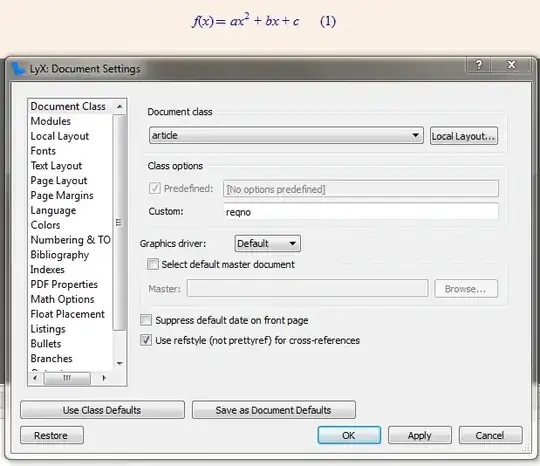
Note that the settings may not be adequately reflecting the visual representation in LyX.

Werner
- 603,163
reqnooption to the\documentclasscommand. – Ludovic C. Sep 26 '13 at 16:23fleqnadded to the document class by default, which does this, remove it and you should be fine (http://tex.stackexchange.com/questions/118976/thesis-template-lyx/119007#119007). – Torbjørn T. Sep 26 '13 at 16:25