You may want to use the \addtocounter instruction -- specifically, \addtocounter{enumi}{-1} -- to achieve your objective. The following MWE shows how this may be done.
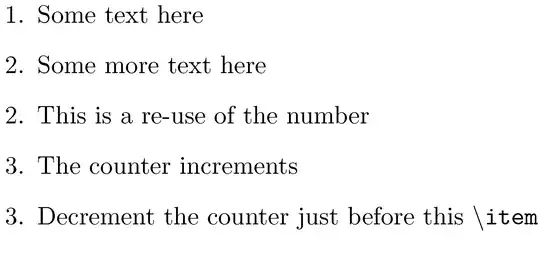
\documentclass{article}
\begin{document}
\begin{enumerate}
\item Some text here
\item Some more text here
\addtocounter{enumi}{-1}
\item This is a re-use of the number
\item The counter increments
\addtocounter{enumi}{-1}
\item Decrement the counter just before this \texttt{\textbackslash item}
\end{enumerate}
\end{document}
If you find yourself executing \addtocounter{enumi}{-1} frequently, you may want to create a shortcut macro called, say, \decri (short for "decrement item counter") in your document's preamble:
\makeatletter
\newcommand{\decri}{\addtocounter{@enumctr}{-1}}
\makeatother
The advantage of this definition is that \decri will work automatically on enumi, enumii, etc. as necessary, depending on the depth of the current enumeration list. I.e., it's not necessary to provide separate macros to decrement LaTeX's first-level, second-level, etc enumeration counters. Acknowledgment: I owe this point about working on @enumctr to @egreg.


\@enumctrinstead ofenumifor defining\decri, then the command will work at any level of enumerate. – egreg Sep 29 '13 at 09:43