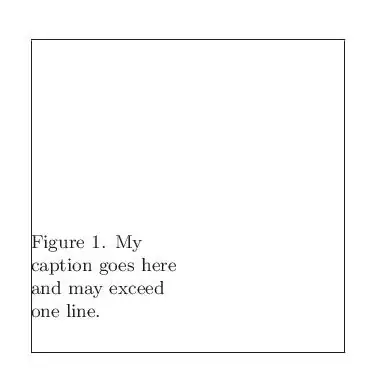
Here's a very basic, feasible implementation that inserts the caption at the desired location:

\documentclass{article}
\usepackage{graphicx}% http://ctan.org/pkg/graphicx
\newsavebox{\graphicsbox}
\begin{document}
\begin{figure}[ht]
  \centering
  \savebox{\graphicsbox}{\includegraphics[width=.7\linewidth]{myfigure}}% Store image
  \leavevmode\rlap{\usebox{\graphicsbox}}% Set image with complete overlap
  \begin{minipage}[b]{.5\wd\graphicsbox}% Insert caption
    \caption{This is my caption. It has a large amount of information, and should
      flow over several lines.}
  \end{minipage}\hspace*{.5\wd\graphicsbox}% Add space to represent figure width
\end{figure}
\end{document}
The image is set in a box \graphicsbox in order to calculate its width. This width is used to measure the minipage and subsequent spacing. A [b]ottom-placement ensures that the caption is stacked vertically as it expands. The alignment of the minipage and surrounding spacing can be changed, of course. For example, to add a \columnsep gap between the caption and the image, use
\begin{minipage}[b]{\dimexpr.5\wd\graphicsbox-\columnsep}% Insert caption
  % <caption>
\end{minipage}\hspace*{\dimexpr.5\wd\graphicsbox+\columnsep}% Add space to represent figure width



floatrowpackage? What happens when TikZ is used? – Qrrbrbirlbel Oct 16 '13 at 17:09