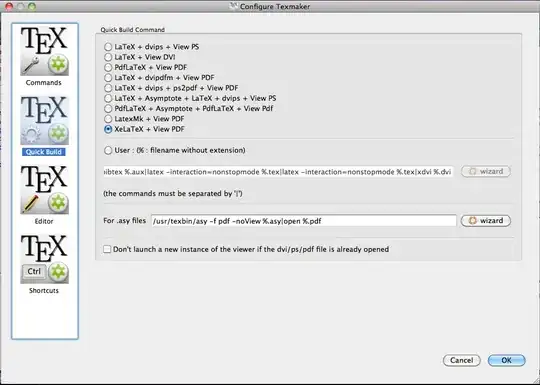
I'm trying to use a template from online and when I upload the zip into Texmaker it gives the following error
"! Fatal fontspec error: "cannot-use-pdftex" ! ! The fontspec package requires either XeTeX or LuaTeX to function. ! ! You must change your typesetting engine to, e.g., "xelatex" or "lualatex" ! instead of plain "latex" or "pdflatex". ! ! See the fontspec documentation for further information. ! ! For immediate help type H ."
What I have tried
I've looked at several posts in this forum, but none seem to have worked. I tried making a custom command for both XeLatex and LuaLaTeX, but neither has worked. I think maybe I don't have something properly downloaded? My custom commands look like this
XeLaTeX: xelatex --interaction=nonstopmode %.tex
LuaLaTeX: lualatex --interaction=nonstopmode %
Possibly these are wrong though. When I run either command, it just says "Error : could not start command"
Thanks for the help, and once again I've read most of the threads related to this, but to no avail, so I think I'm doing something else wrong.
Below is what my texmaker preferences look like...let me know how to change them in order for this to work. Running quick build or my custom command doesn't work and results in the same error