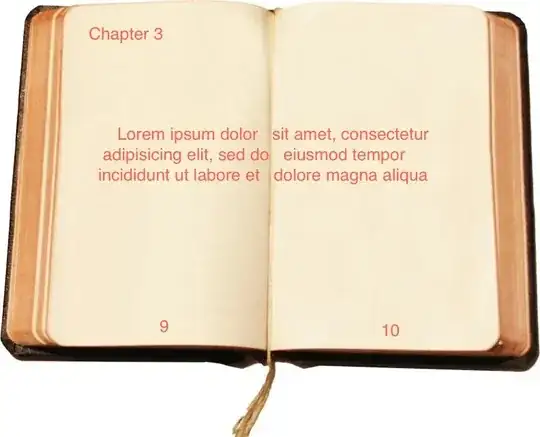
I am making a small book and I want to put a phrase in both pages like the picture above, I want to keep the chapter title and page numbers.
Could you give me a hand on this?
I am making a small book and I want to put a phrase in both pages like the picture above, I want to keep the chapter title and page numbers.
Could you give me a hand on this?
Assuming that you answer @Werners comment positive and that you are able to print to the next bigger paper size respectively to your desired one (for example, let's say it is a4; then you would need to be able to print a3 paper), you could do this:
\documentclass[oneside,notitlepage]{book}
\usepackage[a3paper,landscape]{geometry}% add the right paper size
\usepackage{fancyhdr}
  \pagestyle{fancy}
  \fancyhf{}
  \fancyfoot[L]{\hspace*{.25\textwidth}\thepage\stepcounter{page}}
  \fancyfoot[R]{\thepage\hspace*{.25\textwidth}}
  \renewcommand{\headrulewidth}{0pt}
\fancypagestyle{plain}{%
  \fancyhf{}
  \fancyfoot[L]{\hspace*{.25\textwidth}\thepage\stepcounter{page}}
  \fancyfoot[R]{\thepage\hspace*{.25\textwidth}}
  \renewcommand{\headrulewidth}{0pt}
}
\usepackage{lipsum}
\usepackage{etoolbox}

\makeatletter
\patchcmd{\@maketitle}{\vskip 2em}{\vskip 60\p@}{}{}
\renewcommand{\maketitle}{%
\twocolumn
\@maketitle
\thispagestyle{empty}
\onecolumn
}
\makeatother

\title{Book}
\author{Cesar}
\date{\today}

\begin{document}
\maketitle
\chapter{}
\lipsum\lipsum\lipsum\lipsum
\end{document}
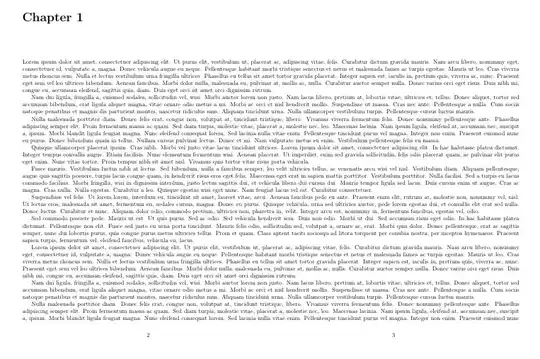

On the other way, if you answer @Werners comment negative, use \parshape to write even lines very far from odd lines:
\documentclass[notitlepage]{book}
\begin{document}
\chapter{}
\def\w{80mm}% configure the width of the text boxes.
\def\wplusmeter{1080mm}% should be 1000mm+\w
\setbox1=\hbox{% define box1 with:
\begin{minipage}{\wplusmeter}\parshape 24
0mm \w 1000mm \w% even lines will be printed on the far left.
0mm \w 1000mm \w% each line is \w long.
0mm \w 1000mm \w
0mm \w 1000mm \w
0mm \w 1000mm \w% you will have to repeat that line a lot more if you have a longer text.
0mm \w 1000mm \w
0mm \w 1000mm \w
0mm \w 1000mm \w
0mm \w 1000mm \w
0mm \w 1000mm \w
0mm \w 1000mm \w
0mm \w 1000mm \w
\Huge% So that the image is readable.
Lorem ipsum dolor sit amet, consectetur adipisicing elit, sed do eiusmod tempor incididunt ut labore et dolore magna aliqua. Ut enim ad minim veniam, quis nostrud
\tiny\ %hack to have smaller interline space. You should find better for it.
\end{minipage}}
\noindent\hbox{\kern\textwidth\kern-\w\usebox1}% print box1 once with right box out of the right boundary of the page.
\newpage
\noindent\hbox{\kern-1000mm\usebox1}% print box1 a second time with left box out of the left boundary.
\end{document}

You will of course do something for the vertical placement of the right box, and also learn to impose half-interline space in latex.
Another solution may be multi-page footnote, it may already exist.


