2

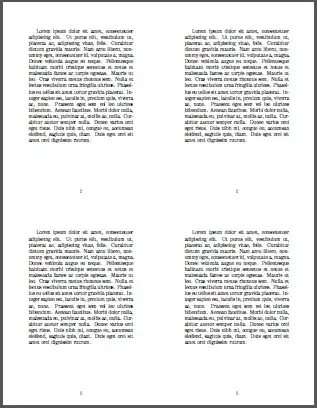
I made an invitation for an event in LaTeX, with output at 4.25in x 5.5in. I'd like to place four of these in a 2x2 grid, and get an 8.5in x 11in document for printing. No margin changing, no resizing, just stick the pages together. One would think this should be easy, but I haven't had any luck actually doing it...

Some utilities I've tried:

  • pdfjam --nup 2x2 out.pdf (output has dimensions 8.27in x 11.69in. I can't tell what's gone wrong, but I don't want this off center)
  • imagemagick with +append and -append. The PDF gets rasterized and the text doesn't come out well.

Any ideas? The option to set the page size originally was

\usepackage[paperwidth=4.25in,paperheight=5.5in,margin=0.7in]{geometry}
Werner
  • 603,163
Mark
  • 23
  • Look at the pdfpages package. – Stephan Lehmke Dec 08 '13 at 06:05
  • Thanks for the answers! Sorry for the duplicate question, though the answer accepted there doesn't solve my problem, because pdfnup/pdfjam don't precisely respect the page size when combining as indicated. – Mark Dec 08 '13 at 06:17
  • I'd say leave it to your printer (driver). Any postscript (compatible) printer should offer you these options at printing time. – Ingmar Dec 08 '13 at 06:50

1 Answers1

2

Assume that your invitation was called invite.pdf and created using:

enter image description here

\documentclass{article}
\usepackage{lipsum}% http://ctan.org/pkg/lipsum
\usepackage[paperwidth=4.25in,paperheight=5.5in,margin=0.7in]{geometry}% http://ctan.org/pkg/geometry
\begin{document}
\lipsum[1]% The invitation
\end{document}

Now create printing.tex resembling:

enter image description here

\documentclass{article}
\usepackage{pdfpages}% http://ctan.org/pkg/pdfpages
\usepackage[paper=letterpaper]{geometry}% http://ctan.org/pkg/geometry
\begin{document}
\includepdfmerge[nup=2x2]{invite,invite,invite,invite}
\end{document}

The key in the final component is to merge invite.pdf in order to duplicate it on the page.

Werner
  • 603,163