I want to alter the geometry of only one page in my Latex document. So I define my geometry as a4paper and then use \newgeometry. However when I enter the \restoregeometry it doesn't restore it. What am I doing wrong? This is the basic code and I am compiling in XeLaTeX ( I can't change the compiling method because it is essential for me to wright in an other language, namely greek):
\documentclass[12pt,a4paper]{article}

\usepackage{xltxtra}
\usepackage{xgreek}
\usepackage{graphicx}
\usepackage[a4paper]{geometry}

\usepackage{amsmath}
\usepackage{amssymb}
\usepackage{graphicx}
\usepackage{wrapfig}

\setsansfont{Arial}
\setmonofont{Courier New}
\setmainfont[Mapping=tex-text]{Times New Roman}


\begin{document}

\newgeometry{top=3.1cm}
\tableofcontents
\restoregeometry

\newpage

\end{document}
sorry if my question is somewhat stupid, but I haven been using Latex for a very short time and serching through the web didn't help.

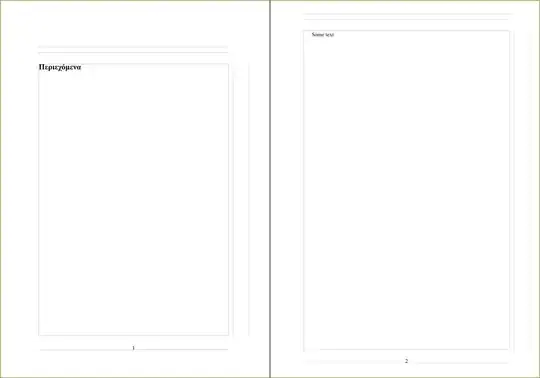
\restoregeometry{top=...}only has an effect on the next page after its invocation. Since the document produced by your MWE is only one-page long,\restoregeometryhas no effect here. Try to add some contents below\restoregeomtry, like\section{foo}\lipsum[1]\section{bar}\lipsum[2](you'll need to load thelipsumpackage). You'll see that the geometry gets restored on the second page. – jub0bs Jan 18 '14 at 13:55