how do I to edit table's caption's name ?

Transformation : "Table" --->> "Tableau"
how do I to edit table's caption's name ?
Transformation : "Table" --->> "Tableau"

You can do it with caption package:
\documentclass{article}
\usepackage{caption}
\usepackage{cleveref}
\captionsetup[table]{name=Tableau}
\begin{document}
  \begin{table}[htb]
     \caption{Caption here}\label{tab:mytabh}
     \centering
     Some table comes here
  \end{table}

\end{document}
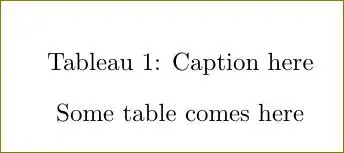
Or use simply \renewcommand{\tablename}{Tableau}:
\documentclass{article}
\renewcommand{\tablename}{Tableau}
\begin{document}
  \begin{table}[htb]
     \caption{Caption here}
     \centering
     Some table comes here
  \end{table}
\end{document}
\renewcommand{\tablename}{Tableau}or usecaptionpackage. – Feb 15 '14 at 13:52captionpackage, use\captionsetup[table]{name=Tableau}– Feb 15 '14 at 13:57babelpackage? – Gonzalo Medina Feb 15 '14 at 14:46babelwith thefrenchoption, you only need to add\addto\captionsfrench{\renewcommand\tablename{Tableau}}in the preamble (before\begin{document}). There's no need to load an extra package likecaptionjust to change the name. Of course, if you were already loading the package, then it is OK. – Gonzalo Medina Feb 15 '14 at 15:25