14

I want to stop my figures floating, but I still want to be able to have the caption to the side of them; mainly to save space and for presentation.

The only way I know how to get the figure caption to the side of an image is as follows;

\begin{SCfigure}
  \centering
  \includegraphics[width=80mm]{image.png}
  \caption{This text is added at the side of the image as a figure description.}
\end{SCfigure}

But, these always float which as it turns out isn't saving space and it just looks messy, so I want this sort of layout for my figures, but I want to fix their position.

Is there anyway to do this?

user46840
  • 143

3 Answers3

10

Obviously, place a figure where I placed the table, and note that in the \captionof argument.

\documentclass{article}
\usepackage{caption}
\begin{document}
\begin{minipage}{\textwidth}
\centering
\begin{tabular}{|l|l|}
\hline
     hello & world\\
     hello & world\\
     hello & world\\
     hello & world\\
\hline
\end{tabular}\hspace{1em}
\parbox[c]{2in}{\captionof{table}{my table has this somewhat long caption}}
\end{minipage}
\end{document}

enter image description here

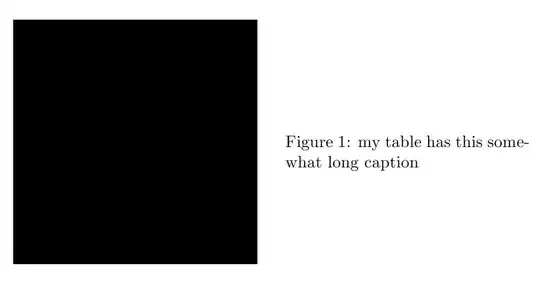
For figures, a \raisebox may be necessary for vertical positioning:

\documentclass{article}
\usepackage{caption}
\usepackage[demo]{graphicx}
\begin{document}
\begin{minipage}{\textwidth}
\centering
\raisebox{-.8in}{\includegraphics[width=2in,height=2in]{figure}}
\hspace{1em}
\parbox[c]{2in}{\captionof{figure}{my table has this somewhat long caption}}
\end{minipage}
\end{document}

enter image description here

4

You can use the floatand floatrow package: the first defines a H option for the placement that enforces the float placement "here" ([!h] meaning "here, as much as possible). With the second, you can define caption settings.

So, if you want all your figures to have a sideways caption (and not other floats), you could write in your preamble, if you want your caption to be, say, on the left side, at the top of the figure, something like:

\usepackage{float}
\usepackage{floatrow}
\floatsetup[figure]{capposition=beside, capbesideposition={left,top}}

In the document body, just write:

\begin{figure}[H]
  \centering
  \includegraphics[width=80mm]{image.png}
  \caption{This text is added at the side of the image as a figure description.}
\end{figure}

If you want sideways captions only for some floats, don't write \floatsetup… in the preamble, and write:

\thisfloatsetup{capposition=beside, capbesideposition={left,top}}
\begin{figure}[H]
   .............

Of course you have access to may other settings (fonts, width of cation, &c.)

Bernard
  • 271,350
2

To stop figures from floating outside the section, I recommend using the placeins package.

To put the caption to the side of the picture, use minipage inside \begin{figure} and \end{figure}. For example:

\usepackage[section,subsection,subsubsection]{placeins}
%...
%...
\FloatBarrier
    \begin{figure}[htbp!]
        \begin{center}
            \begin{minipage}[c]{.45\linewidth}
            \centering
            \caption{The caption of the picture on the right side}
            \label{fig:pictureonright}
            \end{minipage}%
            \begin{minipage}[c]{.45\linewidth}
            \centering
            \includegraphics[width=6cm]{figs/youpicture}
            \end{minipage}
        \end{center}
    \end{figure}

Hope it works for you!

PS: If you want to read more on working with graphics in LaTeX and PdfLaTeX, here is a recommended source: http://tug.ctan.org/tex-archive/info/epslatex/english/epslatex.pdf

Adam Liter
  • 12,567