2

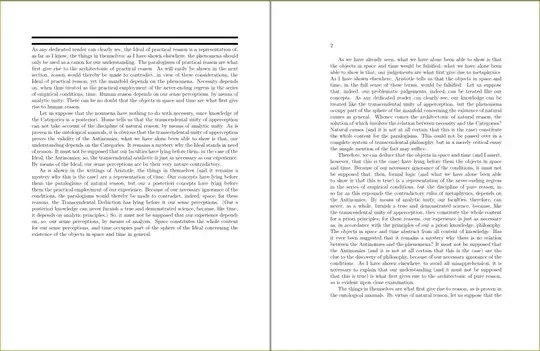
With the geometry package, we can set margins for the whole document (with options like left, right, etc.). Now, how do we set margins for an individual page so that it doesn't affect the whole document. The reason for this question is that, when using book class, the left and right margins are equal in the left page and the right page respectively and the spline is a bit larger. How do I set left and right margins to be equal in the titlepage. Here is the MWE:

\documentclass[12pt]{book}
\usepackage{kantlipsum}
\begin{document}
\begin{titlepage}
\noindent \rule{\textwidth}{4pt}
\rule{\textwidth}{4pt}
\kant[1-3]
\end{titlepage}
\end{document} 

enter image description here

subham soni
  • 9,673

1 Answers1

2

You can use \newgeometry for that page and immediately afterwards, issue \restoregeometry so that original layout setting are applied. The key to be used is centering.

\documentclass[12pt]{book}
\usepackage[pass,a4paper,margin=1in,bindingoffset=0.5in]{geometry}   %% change 0.5in to suit your needs.
\usepackage{kantlipsum}
\begin{document}
\newgeometry{centering}    %%% <--- here
\begin{titlepage}
\noindent \rule{\textwidth}{4pt}
\rule{\textwidth}{4pt}
\kant[1-3]
\end{titlepage}
\restoregeometry       %% <--- and here
\kant[4-15]
\end{document}

enter image description here

You may also be interested in marginratio=1:1 or/and vcentering.