5

I am using texify.com to generate images of equations, so that I can put them in emails. I am trying to insert a colored equation, using the following code:

{\color{green} dy} = {\color{red} \frac{dy}{dx}} {\color{green}  dx}

However, the image produced is entirely green, including the equals sign and fraction bar. Am I coding this incorrectly, or does it just not work on the website?

(Of course, if there are better ways to put math equations into emails - I use gmail primarily - I am all ears!)

  • I think it is a problem with their website since the code itself does work. For getting a simple image of an equation you can use a tool like LaTeXiT on OSX. There is a alternative KLatex which says it is available on all platforms. I never used it though. However, a simple image of an equation can be achieved using \documentclass[preview]{standalone} and then email that equation sized pdf. – nonsense Jun 01 '14 at 15:54

2 Answers2

3

TeXify parses the code differently than the tutorial page:

enter image description here

My suggestion is to use that page instead, or use the technique described in Standalone producing cropped / truncated formulae.

Werner
  • 603,163
0

Of course, if there are better ways to put math equations into emails - I use gmail primarily - I am all ears!

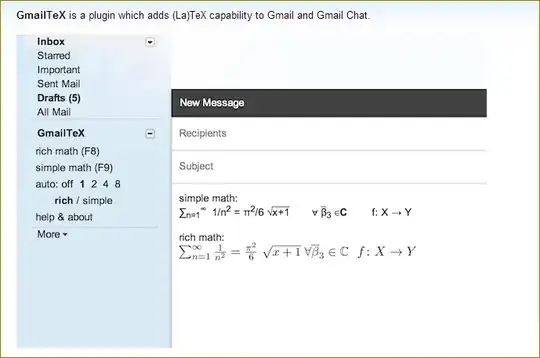
You can use GmailTeX. This plugin which adds (La)TeX capability to Gmail and Gmail Chat.

enter image description here