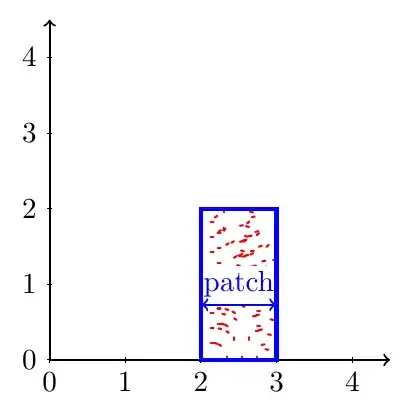
Here a quick attempt using the patterns-library of tikz. There are much more possibilities to draw this image. I just used a white background for the patch-label, but there might be much more sophisticated solutions. For example one could choose inverted clipping to make the pattern around the patch-label fading to white/opaque.
Furthermore i threw one of your loops away, so the axes-ticks are drawn within one loop.
\documentclass[tikz, border=5mm]{standalone}

\usetikzlibrary{patterns}

\begin{document}
 \begin{tikzpicture}
  % axes and x-/y-ticks
  \draw [>=latex, <->, thick] (0,5) -- (0,0) -- (5,0);
  \foreach \x in {1,...,4} {
   \draw (\x,-2pt) -- ++(0,4pt) node [below=.1cm] {\scriptsize $\x$};
   \draw (-2pt,\x) -- ++(4pt,0) node [left=.1cm] {\scriptsize $\x$};
  }
  % rectangle with pattern and patch
  \draw [ultra thick, blue, fill, pattern=crosshatch dots, pattern color=red] (2,0) rectangle (3,2);
  \draw [thick, blue, >=latex, <->] (2,1) -- (3,1) node [midway, above=.1cm, fill=white, inner sep=0pt] {\scriptsize patch};
  % x-labels
  \draw [thick, dashed] (2.5,0) -- ++(0,-.5) node [below] {$X_1$};
  \draw [thick, dashed] (0,0) -- ++(0,-.5) node [below] {$X_0=0$};
 \end{tikzpicture}
\end{document}
Rendered image:

EDIT Change colors
As the initial question was how to use special colour here some additional information about colors.
If you use dvipsnames as option in your \documentclass or do an \usepackage[usenames,dvipsnames]{color} you can use the dvips-colors. For an overview visit this link.
If you need more control about your colors you can play around with them by using e.g.
red
red!75
red!75!blue
to set the saturation of a color or mix colors up.




percussedetected... – kiss my armpit Sep 16 '14 at 07:50