I would like to use the Latex KOMA presentation template [1] for my presentation. But I want to replace the running head at the top by the (sub)section title.
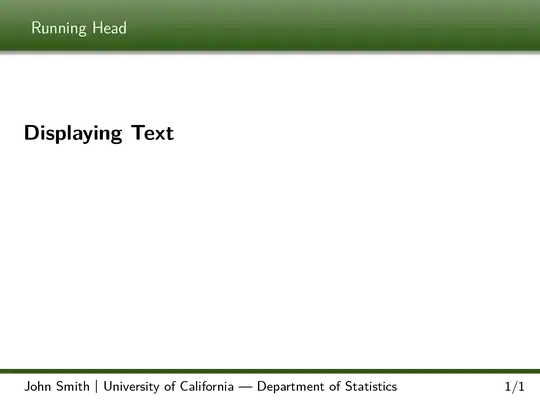
Currently the Latex KOMA presentation template [1] looks as follows:
\documentclass[
paper=128mm:96mm, % The same paper size as used in the beamer class
fontsize=11pt, % Font size
pagesize, % Write page size to dvi or pdf
parskip=half-, % Paragraphs separated by half a line
]{scrartcl} % KOMA script (article)

\linespread{1.12} % Increase line spacing for readability

%------------------------------------------------
% Colors
\usepackage{xcolor}  % Required for custom colors
% Define a few colors for making text stand out within the presentation
\definecolor{mygreen}{RGB}{44,85,17}
\definecolor{myblue}{RGB}{34,31,217}
\definecolor{mybrown}{RGB}{194,164,113}
\definecolor{myred}{RGB}{255,66,56}
% Use these colors within the presentation by enclosing text in the commands below
\newcommand*{\mygreen}[1]{\textcolor{mygreen}{#1}}
\newcommand*{\myblue}[1]{\textcolor{myblue}{#1}}
\newcommand*{\mybrown}[1]{\textcolor{mybrown}{#1}}
\newcommand*{\myred}[1]{\textcolor{myred}{#1}}
%------------------------------------------------

%------------------------------------------------
% Margins
\usepackage[ % Page margins settings
includeheadfoot,
top=3.5mm,
bottom=3.5mm,
left=5.5mm,
right=5.5mm,
headsep=6.5mm,
footskip=8.5mm
]{geometry}
%------------------------------------------------

%------------------------------------------------
% Fonts
\usepackage[T1]{fontenc}     % For correct hyphenation and T1 encoding
\usepackage{lmodern} % Default font: latin modern font
%\usepackage{fourier} % Alternative font: utopia
%\usepackage{charter} % Alternative font: low-resolution roman font
\renewcommand{\familydefault}{\sfdefault} % Sans serif - this may need to be commented to see the alternative fonts
%------------------------------------------------

%------------------------------------------------
% Various required packages
\usepackage{amsthm} % Required for theorem environments
\usepackage{bm} % Required for bold math symbols (used in the footer of the slides)
\usepackage{graphicx} % Required for including images in figures
\usepackage{tikz} % Required for colored boxes
\usepackage{booktabs} % Required for horizontal rules in tables
\usepackage{multicol} % Required for creating multiple columns in slides
\usepackage{lastpage} % For printing the total number of pages at the bottom of each slide
\usepackage[english]{babel} % Document language - required for customizing section titles
\usepackage{microtype} % Better typography
\usepackage{tocstyle} % Required for customizing the table of contents
%------------------------------------------------

%------------------------------------------------
% Slide layout configuration
\usepackage{scrpage2} % Required for customization of the header and footer
\pagestyle{scrheadings} % Activates the pagestyle from scrpage2 for custom headers and footers
\clearscrheadfoot % Remove the default header and footer
\setkomafont{pageheadfoot}{\normalfont\color{black}\sffamily} % Font settings for the header and footer

% Sets vertical centering of slide contents with increased space between paragraphs/lists
\makeatletter
\renewcommand*{\@textbottom}{\vskip \z@ \@plus 1fil}
\newcommand*{\@texttop}{\vskip \z@ \@plus .5fil}
\addtolength{\parskip}{\z@\@plus .25fil}
\makeatother

% Remove page numbers and the dots leading to them from the outline slide
\makeatletter
\newtocstyle[noonewithdot]{nodotnopagenumber}{\settocfeature{pagenumberbox}{\@gobble}}
\makeatother
\usetocstyle{nodotnopagenumber}

\AtBeginDocument{\renewcaptionname{english}{\contentsname}{\Large Outline}} % Change the name of the table of contents
%------------------------------------------------

%------------------------------------------------
% Header configuration - if you don't want a header remove this block
\ihead{
\hspace{-2mm}
\begin{tikzpicture}[remember picture,overlay]
\node [xshift=\paperwidth/2,yshift=-\headheight] (mybar) at (current page.north west)[rectangle,fill,inner sep=0pt,minimum width=\paperwidth,minimum height=2\headheight,top color=mygreen!64,bottom color=mygreen]{}; % Colored bar
\node[below of=mybar,yshift=3.3mm,rectangle,shade,inner sep=0pt,minimum width=128mm,minimum height =1.5mm,top color=black!50,bottom color=white]{}; % Shadow under the colored bar
shadow
\end{tikzpicture}
\color{white}\runninghead} % Header text defined by the \runninghead command below and colored white for contrast
%------------------------------------------------

%------------------------------------------------
% Footer configuration
%\newlength{\footheight}
\setlength{\footheight}{8mm} % Height of the footer
\addtokomafont{pagefoot}{\footnotesize} % Small font size for the footnote

\ifoot{% Left side
\hspace{-2mm}
\begin{tikzpicture}[remember picture,overlay]
\node [xshift=\paperwidth/2,yshift=\footheight] at (current page.south west)[rectangle,fill,inner sep=0pt,minimum width=\paperwidth,minimum height=3pt,top color=mygreen,bottom color=mygreen]{}; % Green bar
\end{tikzpicture}
\myauthor\ \raisebox{0.2mm}{$\bm{\vert}$}\ \myuni % Left side text
}

\ofoot[\pagemark/\pageref{LastPage}\hspace{-2mm}]{\pagemark/\pageref{LastPage}\hspace{-2mm}} % Right side
%------------------------------------------------

%------------------------------------------------
% Section spacing - deeper section titles are given less space due to lesser importance
\usepackage{titlesec} % Required for customizing section spacing
\titlespacing{\section}{0mm}{0mm}{0mm} % Lengths are: left, before, after
\titlespacing{\subsection}{0mm}{0mm}{-1mm} % Lengths are: left, before, after
\titlespacing{\subsubsection}{0mm}{0mm}{-2mm} % Lengths are: left, before, after
\setcounter{secnumdepth}{0} % How deep sections are numbered, set to no numbering by default - change to 1 for numbering sections, 2 for numbering sections and subsections, etc
%------------------------------------------------

%----------------------------------------------------------------------------------------
%   PRESENTATION INFORMATION
%----------------------------------------------------------------------------------------
\newcommand*{\mytitle}{Presentation Title} % Title
\newcommand*{\runninghead}{Running Head} % Running head displayed on almost all slides
\newcommand*{\myauthor}{John Smith} % Presenters name(s)
\newcommand*{\mydate}{\today} % Presentation date
\newcommand*{\myuni}{University of California --- Department of Statistics} % University or department
%----------------------------------------------------------------------------------------

\begin{document}

%----------------------------------------------------------------------------------------
\section{Displaying Text}
\clearpage
%----------------------------------------------------------------------------------------

\end{document}
I have tried to replace the running head by the following custom \currtitle command:
\makeatletter
\newcommand{\currtitle}{\ttl@savetitle}
\makeatother

%------------------------------------------------
% Header configuration - if you don't want a header remove this block
\ihead{
\hspace{-2mm}
\begin{tikzpicture}[remember picture,overlay]
\node [xshift=\paperwidth/2,yshift=-\headheight] (mybar) at (current page.north west)[rectangle,fill,inner sep=0pt,minimum width=\paperwidth,minimum height=2\headheight,top color=mygreen!64,bottom color=mygreen]{}; % Colored bar
\node[below of=mybar,yshift=3.3mm,rectangle,shade,inner sep=0pt,minimum width=128mm,minimum height =1.5mm,top color=black!50,bottom color=white]{}; % Shadow under the colored bar
shadow
\end{tikzpicture}
\color{white}\currtitle} % Header text defined by the \runninghead command below and colored white for contrast
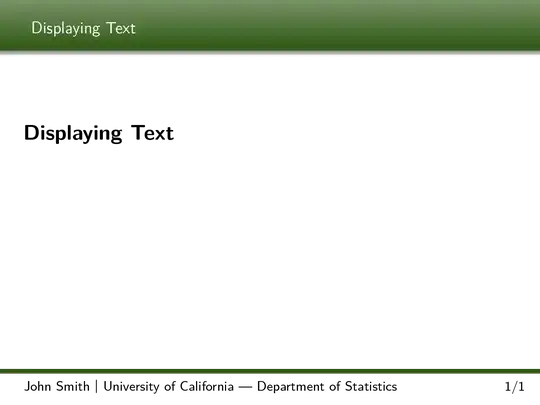
But how can I hide the section title within the slide? (below the green header bar) Or how can I move the (sub)section title to the running head position?
Thanks!
[1] http://www.latextemplates.com/template/koma-script-presentation


\section{Displaying Text}output. The section name (e.g., "Displaying Text") should only appear in the green header bar. – Martin Oct 02 '14 at 08:14\renewcommand{\runninghead}{your title}. – Johannes_B Oct 02 '14 at 12:40renewcommandas often as you like. Do you need an automatically generated toc? – Johannes_B Oct 02 '14 at 13:26\newcommand*{\runninghead}{Running Head}, I want to have the current section title within the green header bar at the top. Therefore I tried to use\newcommand{\currtitle}{\ttl@savetitle}within the header\ihead{...\color{white}\currtitle}, which prints the current section title within the green header bar at the top. But I also want to remove the section title within the slide (below the green header bar). – Martin Oct 02 '14 at 13:42\thispagestyle{empty} % No slide header and footer \small\tableofcontents \clearpage– Martin Oct 02 '14 at 13:49\newcommand\sectiona[1]{% \clearpage% \refstepcounter{section}% \renewcommand{\runninghead}{#1}% \addsectiontocentry{}{#1}% }– Johannes_B Oct 02 '14 at 14:51\sectiona*and\subsectiona? Thanks again. – Martin Oct 02 '14 at 15:45