1

I have a drawing made by the CAD DraftSight, I exported the drawing into a .pdf file and then I included it with

\usepackage{graphicx}
% ...
\begin{figure}[!htb]
\centering
\includegraphics[scale=1]{myfig.pdf}
\caption{My figure}
\end{figure}

The figure is properly shown in the final .pdf document (I compile it in TeX Live with the command pdflatex).

Is it possible to substitute some text inside the .pdf document like the psfrag does for an .eps figure?

I have made some tests with psfrag but with no luck... I had problems with the package auto-pst-pdf, the command line options -shell-escape and basically I am clueless...

  • In a fashion similar to David's answer, the \stackinset macro (stackengine package) can be used to overlay text on an image (see http://tex.stackexchange.com/questions/171483/mathematical-formulas-on-a-graph-not-made-by-tex/171486#171486). The text could be set in a white colorbox to obliterate the background info. – Steven B. Segletes Nov 14 '14 at 03:57

2 Answers2

4

You can't really substitute the way psfrag does as that uses the PostScript programming features to relocate the texts.

However you can do

\includegraphics[scale=1]{myfig.pdf}%
\begin{picture}(0,0)
\put(-20,10){\colorbox{white}{hello}}
\end{picture}

which will write hello on a white background over-printing the image. So with some careful choice of coordinates you can arrange to cover up text in the image and replace by TeX typeset text.

David Carlisle
  • 757,742
  • 1
    too bad there's not a "cleaner" way -- if the text overprints an important feature of the drawing (which happens not as infrequently as one might hope), painting out a white area isn't going to be a good solution. but there may be an ugly workaround (not tested): convert .pdf to .eps. using standalone, input the .eps file and alter with psfrag, and output to .dvi. convert .dvi to .ps/.pdf. then use the altered .pdf graphic instead of the original. – barbara beeton Nov 13 '14 at 16:23
1

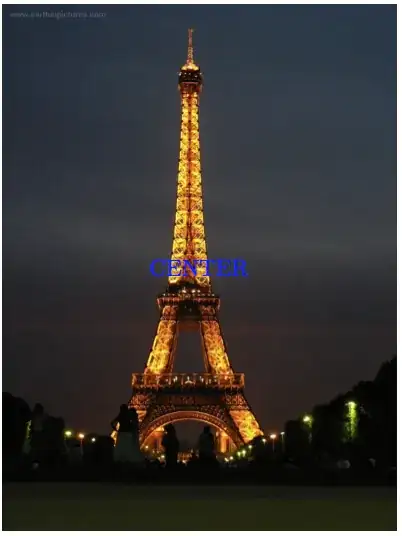
The same technique that is used to Drawing on an image with TikZ can be used to place text on the image as well. Below I have placed the text 'CENTER' at the midway point between the south west and north west corners of the image:

enter image description here

Notes:

  • Even though I used a .jpg image here, it is the same if a .pdf file was used instead.

Code:

\documentclass{article}
\usepackage{graphics}
\usepackage{tikz}
\usetikzlibrary{calc}

\begin{document} \begin{tikzpicture} \node[anchor=south west,inner sep=0] (X) at (0,0) {\includegraphics[height=8cm, keepaspectratio]{../images/EiffelTall.jpg}}; \node [blue, ultra thick] at ($(X.south west)!0.5!(X.north east)$) {CENTER}; \end{tikzpicture} \end{document}

Peter Grill
  • 223,288