1

Using the data in this file, I have the following plot:

\documentclass{article}
\usepackage{tikz}
\usepackage{pgfplots}
\usepackage{savetrees}

\begin{document}

\begin{figure}[b]
    \centering
    \begin{tikzpicture}
        \begin{axis}[
            width=\linewidth,
            height=0.9\textheight,
            view = {95}{40},
            zmin = 0,
            restrict z to domain = 1:,
            axis x line = left,
            axis y line = left,
            axis z line = right,
        ]
            \addplot3 [draw=black, mark=none] table {biomass.txt};
        \end{axis}
    \end{tikzpicture}
    \caption{Caption}
\end{figure}

\end{document}

giving
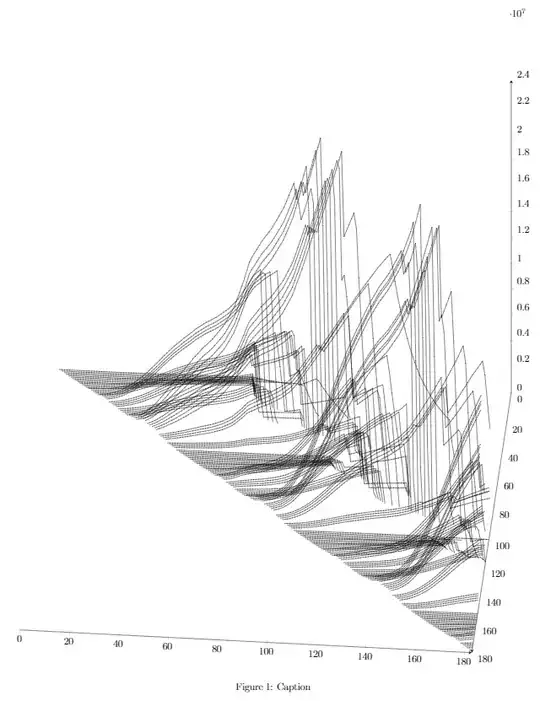
enter image description here

I would like to trim off the extra whitespace at the top, like so:

enter image description here

My guess is that the graph adds extra space at the top in case I want z axes all around, but the extra space shows up even though I don't need the top-left one.

Any help is appreciated.

1 Answers1

0

Using clipping seems to be the right solution. Also see this question on using clipping.

Your MWE would then become:

\documentclass{article}
\usepackage{tikz}
\usepackage{pgfplots}
\usepackage{savetrees}

\begin{document}

\begin{figure}[b]
    \centering
    \begin{tikzpicture}
    \clip (-0.5, -1) rectangle (15, 19)
        \begin{axis}[
            width=\linewidth,
            height=0.9\textheight,
            view = {95}{40},
            zmin = 0,
            restrict z to domain = 1:,
            axis x line = left,
            axis y line = left,
            axis z line = right,
        ]
            \addplot3 [draw=black, mark=none] table {biomass.txt};
        \end{axis}
    \end{tikzpicture}
    \caption{Caption}
\end{figure}

\end{document}

You will have to find the right parameters for the clipping, but after that it should work like a charm. Consider using negative vspace (\vspace{-10mm}) if you want to move the whole a bit higher.

  • The MWE works for me. Did you use the data file I provided? http://pastebin.com/aJX53bu6

    Thanks for the suggestion of \clip, it seems to work pretty well. It looks like \clip (-0.5, -1) rectangle (15, 19) are the best parameters for me.

    – soapygopher Dec 12 '14 at 12:31
  • My apologies, I missed the file entirely. Since \clip worked, I assume the problem is solved? – Wolhandkrab Dec 12 '14 at 12:43
  • Yes, more or less. There is still some manual position adjustment to be made, but \clip solves this specific question. – soapygopher Dec 12 '14 at 12:51