I want to write a command.
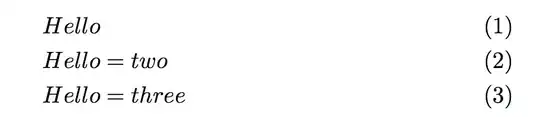
This is the example the commands should achieve:
\begin{alignat}{1}
Hello \\
Hello two \\
Hello three
\end{alignat}{1}
This should the commands look like:
\mycommand {
\command{Hello}
\command{Hello two}
\command{Hello three}
}
\mycommand has one argument and this will include a list of commands.
It will put a \begin{alignat}{1} before all commands and a \end{alignat}{1} after all commands. Between each of the commands it will insert a \\ (after the last command no \\ is inserted and this is the difficult part).
In this example the \command is
\newcommand{\command}[1]{#1}
The Question is how do i write \mycommmand




\mycommand? Inside atabular? – Werner Jan 22 '15 at 20:20\newcommand\mycommand[1]{\begin{alignat}{1}#1\end{alignat}}and\newcommand\command[1]{#1\\}. – Manuel Jan 23 '15 at 02:37