I am using biblatex and really liking the flexibility, though I have to say there are too many options for a single person to understand in a lifetime :-/ So far I do two things with cited references. First, print a 'footnote' with the condensed information on the same page as the citation (the footnote actually goes to the margin because I'm using tufte) Second, at the end print the complete bibliogprahy as usual.
I do this using among other things, these commands: To slim down the citations, but not the bibliography I use
\usepackage[..., maxcitenames=1, maxbibnames=99]{biblatex}
\AtEveryCitekey{...\clearfield{title}}
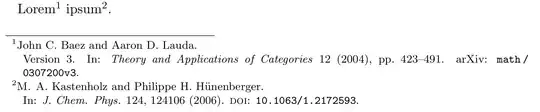
Which works quite nicely. I would like to change one thing tough. Since my 'footnotes' go to the margin, I would like to add a newline after the author name, for every citation, but not for the bibliography. Since all of them will take up two lines anyway, I'd rather break them nicely,
Some Author et al.
Journal X (2000), yy-zz
Instead of some random jumble of
Some Author et al. Journal
X (2000), yy-zz
So basically: how to change the separator after Author to a newline for a fullcite only?
A MWE would be the following one:
\documentclass{article}
\usepackage{hyphenat}
\usepackage[american]{babel}
\usepackage{csquotes}
\usepackage[maxcitenames=1, maxbibnames=99,  isbn=false, doi=false, url=false, eprint=false, bibstyle=numeric, citestyle=numeric-comp, backend=biber]{biblatex}
\addbibresource{~/library.bib}
\AtEveryCitekey{\clearfield{title}\clearfield{number}\clearfield{month}}% Removes things for footnotes
\AtEveryBibitem{\clearfield{number}\clearfield{month}}%Remove things for Bibliography only

\renewcommand{\labelnamepunct}{\newline}
\begin{document}
This is of interest.\footfullcite{FamousPerson2000}
\printbibliography
\end{document}
While the \labelnamepunct{} does something for the bibliography, I cannot get it to work for the footnote (inside the \AtEveryCiteKey{} also doesn't work



\AtEveryCitekey{\renewcommand{\labelnamepunct}{\linebreak}\clearfield{title}}, but without an MWE that's just guessing. – moewe Feb 18 '15 at 11:27\renewcommand{\labelnamepunct}{\linebreak}. I tried to get around providing a MWE, since my setup is a lot more complicated than that. But I will get to it now, and distill it down. I am using numeric-comp and\footfullcite{}basically – Bernhard Feb 18 '15 at 13:35tufte-book,\usepackage[style=numeric-comp,backend=biber]{biblatex}and\footfullcite{foo}and it works quite fine. One might add that having anumericstyle, but only using\footfullcitedoes not really make sense. – moewe Feb 18 '15 at 13:44titlefield.biblatex's punctuation tracker makes sure that no duplicate punctuation occurs, the punctuation between name and title, which we modify, is overwritten by the following punctuation. One would have to replace each\setunit{\labelnamepunct}by a\printunit{\labelnamepunct}for this fix to work. – moewe Feb 18 '15 at 14:05\labelnamepunctthe punctuation after every kind of entry? (name, journal, year...) or only after the name? How to implement your proposed fix? Also, could you please elaborate on why the numeric style is senseless here? (technical or stylistic reason?) I am asking sincerely, since this is something I never quite understood, I started using biblatex without really understanding it, and I am only really using numeric because I never got the alphabetic style to work reasonably. Also: I don't really want to "delete" the title field, I just don't want to print it. Is there a better way? – Bernhard Feb 18 '15 at 15:06\labelnamepunctis a special punctuation between the (author) name and the title of the entry. But if we delete the title this punctuation is over-ridden by the following punctuation. Thus my initial solution does not work and the only other way I could think of is very, very convoluted. (Your way of "not printing" thetitlefield in citations is the best there is, I think. - It just poses a problem in this particular setting, but other ways should also suffer from this drawback) – moewe Feb 18 '15 at 15:10numericstyle is senseless since it seems to me that in your document you don't actually use the numbers to refer to an item in the bibliography, so in the bib the numbers just stand around and do nothing. Maybeverboseis for you (get rid ofbibstyle=numeric, citestyle=numeric-compfor this and addstyle=verboseinstead). Here are lots of examples of different styles --71-style-verbose-ibid.pdffor example. – moewe Feb 18 '15 at 15:14numeric. The idea of the numbers is that they are the labels which enable a reader to find the relevant item in the bibliography. For this to work, you have to use the labels when citing the items in your document. The main alternative is author-year, where the author-year constitutes the label and is used by the reader to find the relevant item in the bibliography. More generally, I wonder why exactly you want so much information in the marginal notes. Why not use a label (numeric, alph-like, author-year, whatever) and keep things uncluttered? – cfr Mar 06 '15 at 23:19tufte-bookI got quite pleasing results with theauthoryearstyle, but I also thinkverbose(or one of its derivatives) looks good as long as you don't have too many citations in rapid succession. – moewe Mar 08 '15 at 10:14numericstands. There is zero point in having these labels in the bibliography if you don't every refer to them. I don't see how that link explains why you can't use an author-year style. It just says you are using something else. – cfr Mar 09 '15 at 12:53authoryearin my other question if you wish – Bernhard Mar 09 '15 at 14:30titlefield, my suggestion above should work just fine. There is a way to do that even if you have notitlefield, that solution is really horrible, however; but if you absolutely insist, I can post it shortly. – moewe Mar 09 '15 at 14:49[maxcitenames=1]. It seems there is nothing like[block=par]that works footnotes. If your solution prints all the interjacent punctuation, then i kindly decline your offer. If the output is clean, then please at least show me the right direction. Maybe there is a way to substitute every title with some letter like a space, or directly a linebreak? – Bernhard Mar 09 '15 at 16:19