My suggestion would be a to use a tabular-like construction. And, to avoid using arbitrary lengths, you can leave the length-calculations up to LaTeX when using tabularx:
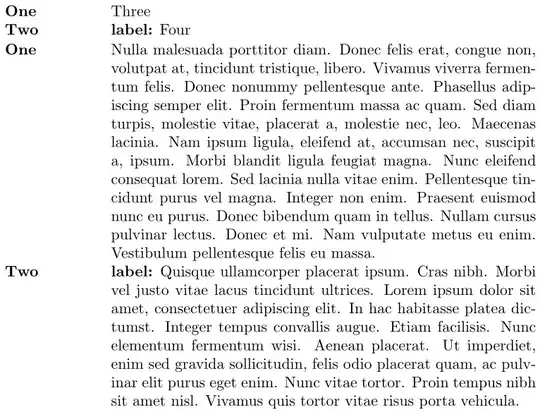
\documentclass{article}

\usepackage[nopar]{lipsum}
\usepackage{tabularx}

\newcommand{\mycommand}[4]{%
  \begin{tabularx}{\textwidth}{@{}>{\bfseries\arraybackslash}p{2cm} X @{}}
    #1 & #3 \\
    #2 & \textbf{label:} #4
  \end{tabularx}}

\begin{document}

\noindent
\mycommand{One}{Two}{Three}{Four}

\noindent
\mycommand{One}{Two}{\lipsum[3]}{\lipsum[4]}

\end{document}
The p- and X-columns have a default top-alignment with the surrounding row entries.
The choice of using tabularx (or something tabular) above a minipage stems from the typical problem of baseline alignment. It's just easier/more convenient when using a table. See How to keep a constant baseline skip when using minipages (or \parboxes)?](How to keep a constant baselineskip when using minipages (or \parboxes)?)
Note that the above construction will not break across the page boundary. That was also the case with your minipage construction, so I doubt it would be a problem in your use case


minipage? Will the text in#4span multiple lines (like a paragraph)? – Werner Nov 28 '15 at 02:02