I search for a package or a script, that can count the number of characters including spaces in my document. I have tried to search for it, and I have found many solutions, that should do this, but I can't get it to work. I'm using Miktex and Texmaker.
\documentclass{report}
\begin{document}
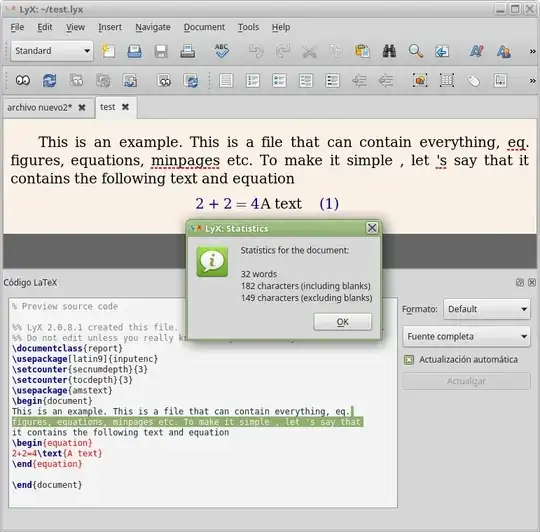
\input{A_File} % This is a file that can contain everything, eq. figures, equations, minpages etc. To make it simple , let 's say that it contains the following text and equation
This is an example
\begin{equation}
2+2=4 \text{A text}
\end{equation}

\end{document}
So the file A_File contains 'This is an example' and 'A text' which should be counted. I now want to count the the number of characters with spaces in my document. As it can be seen there are 4 characters in 'This', 2 in 'is', 2 in 'an', 7 in 'example' and 3 spaces. Furthermore there are 5 characters in ' A text' with 1 space. This gives 24 number of characters including spaces.
The script should then display:
Total number of characters including spaces = 24.
I'm not so good at latex, so I just want a script I can copy and insert, and then it works.


texcount, an external (perl?) script. It's easy to run it under Linux/MacOS, but windows? – Dec 28 '15 at 18:57perlis a powerful scripting language and the perl binaries must be installed of course to run other perl scripts. I don't know whethertexcountis shipped with MikTeX at all, I don't use that stuff – Dec 28 '15 at 19:06x<space><space><space><space><space>x" ? One or five? And how many spaces are "x\hspace{5em}x"? And how to now if the space in "this<space>space" will be lost in the pdf, due to a linebreak? – Fran Dec 28 '15 at 21:05\space\space\space\space\space). In a LaTeX with the same 5 spaces you get 1\space(or more). If the final space printed is what matter, how we should consider superfluous spaces,\quador other spacing commands? How count the extra space added/ removed to justify the margins and break lines in LateX, Word or whatever? ... If that do not matter, why on earth do the counting? – Fran Dec 29 '15 at 01:21This is a unique function $f$ such that $blah math$ holdsbe counted? Also, do you want a nondestructive way to do this? As in, should it also produce a pdf that contains the normal output from compiling the file? Or are you okay with it only producing a word count? – Hood Chatham Dec 29 '15 at 03:46\quador\hfill, it's one) my idea is if in a paragraph we count 100 words there is 99 space. but may be it's not so easy. – touhami Dec 29 '15 at 06:49Yes, I have seen all those solutions, but I can't get them to work. I espacially like this perl thing, but it doesn't work for me. Can you perhaps give a more detail explanation how to get the perl script working ?
– Morten Dec 29 '15 at 11:46