15

I have read Animations in LaTeX, but my question (I think) is different.

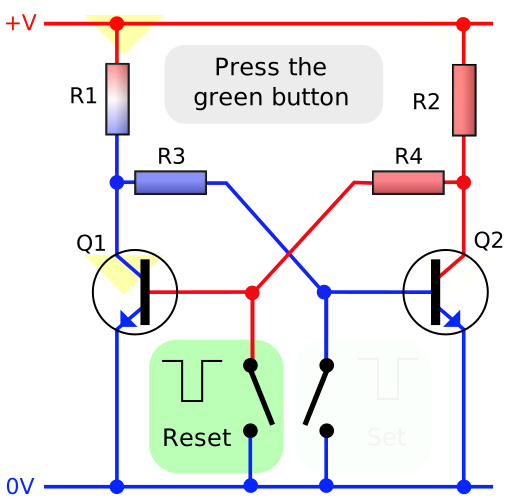
I have an SVG animated file and I want to create the same animation in LaTeX, without rewriting the code. An example is this one (created with Inskape). I have tried to obtain the PDF from Inkscape, but in this way I lost the animation.

Apologize if this question is a duplicate.

EDIT

I am looking for a LaTeX code. ;-)

  • +1 I didn't know that SVG supported animations. I couldn't see or edit the animation with Inkscape by the way. I opened the SVG in an editor, and it says "inkscape:version="0.48.4 r9939". I also found some It has some "" XML tags. It is possible that this is not really SVG but some XML hack for web browsers because I see it is also interactive. – alfC Feb 09 '16 at 10:12
  • I think what you can do is open with inkscape, save a set of SVG frame by frame (move the yellow arrow manually) in PDF and use the package animate to animate the sequence of PDF (Acrobat will be necessary to play the animation). I don't see other solution, let alone that that SVG doesn't seem to be standard. – alfC Feb 09 '16 at 10:32
  • @alfC SVG 1.1 is a W3 standard and supports the animations. SVG 1.1 is a W3 standard and supports the animations. If you forget - for a minute - Inkscape, we are talking about a pure XML code. The question is the same: is there, in LaTeX, a way to insert a SVG 1.1 code and preserve the animations? – Giacomo Alessandroni Feb 09 '16 at 13:44
  • Good to know. Does it also support interactivity (clicks)? Do you know a graphical editor to the animate SVG? Sorry that I can't help you with your question. – alfC Feb 09 '16 at 17:17
  • Now, I want LaTeX to support SVG animations. :) – alfC Feb 10 '16 at 18:38
  • 2
    @alfC BTW, animate can now export to animated SVG. (Though not import, as asked here.) – AlexG Dec 03 '18 at 09:07
  • @AlexG, are you talking about the export option at the end of section 4 of the manual http://tug.ctan.org/macros/latex/contrib/animate/animate.pdf ? do you need to convert from PDF (multipage) to SVG get the animation? with which tool? – alfC Dec 03 '18 at 09:40
  • 2
    @alfC: No. Exporting to JS driven animated SVG is a new feature, added about 10 days ago ;). Same look and feel (control buttons, interactivity) as PDF animations. Can be embedded in HTML or viewed as standalone files in a Web browser. See: https://tex.stackexchange.com/a/136919 for a trivial example and click on the image to load the SVG. – AlexG Dec 03 '18 at 09:45
  • 2
    @AlexG, excellent, dvisvgm (which I didn't know) was the answer. Congratulations for the new feature. – alfC Dec 03 '18 at 17:34
  • How do you want to print an animated PDF? – Henri Menke Dec 26 '18 at 08:49
  • @henri The same way you would print an MP4, I suppose. ;-) – AlexG Dec 26 '18 at 12:36
  • @Henri, I would like obtain a interactive PDF. As the example in the Wiki. – Giacomo Alessandroni Dec 27 '18 at 13:42
  • 2
    PDF anims are frame-based, while SMIL-type SVG animations animate object properties, such as position, scale, colour, transparency. An external programme is needed to convert such into image sequences. I don't know whether Inkscape (or other software) is able to do this. – AlexG Dec 28 '18 at 13:16

0 Answers0