585

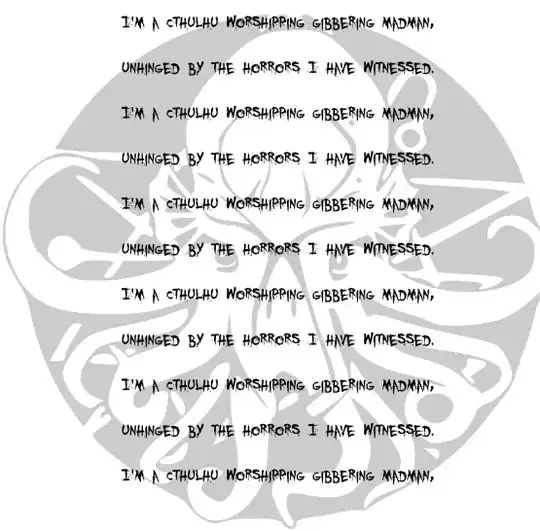
I want to type up some spells from the RPG Call of Cthulhu and give them to my players. I could just type them up in Word or LaTeX, but that seems too...neat. I'd like to make these things look like they were scrawled by a gibbering madman, unhinged by the horrors he has witnessed. Bonus points if you can add any traces of H. P. Lovecraft's Cthulhu Mythos.

Less poetically: Typefaces to make it look scrawled or handwritten, preferably with a quill or calligraphy pen. Ways to make the word spacing less regular (Abuse microtype in some way?) and ways to put in drop caps are the kind of things I'm looking for.

Bonus points if you can tell me how to typeset an elder sign.

Alright, editing this to be more specific:

  • A font to make it look handwritten or calligraphic. I was under the (mistaken) impression that fonts in LaTeX were restricted to a few packages on CTAN, so I was hoping for a suggestion for a good one. I can find one in a free typeface repository somewhere, though if anyone has suggestions I'd love to hear them.
  • Dropcaps.
  • Possibly adding a texture or such to make it look like it is written on parchment?
  • Changing the size of the writing at various points, preferably randomly
  • Changing interword spacing randomly.
Canageek
  • 17,935
  • 3
    What exactly are you asking? Are you looking for a "horror" or "crazy" font? If so, check out webpages such as http://www.ffonts.net/Crazy.html, http://www.ffonts.net/Horror.html, and http://www.fonts.com/findfonts/searchresults.htm?kid=horror. – Mico Sep 24 '11 at 21:12
  • I didn't think I could use truetype or opentype fonts with PDFLaTeX? I was also looking for other typographic ideas to make it look less regular- change the spacing between words randomly for example, or vary the size of each letter sightly, or 'cant' the text at an angle. – Canageek Sep 24 '11 at 21:18
  • 3
    ... and with XeLaTeX or LuaLaTeX and fontspec you can actually use any .otf or .ttf font in LaTeX. – Caramdir Sep 24 '11 at 21:19
  • 176
    Is “use Comic Sans” a valid answer? – Caramdir Sep 24 '11 at 21:20
  • 1
    To use truetype and opentype fonts, you'll have to switch to xe(la)tex or lua(la)tex. There is a font called punk that was written by Knuth himself; maybe it's available to LaTeX users too (in addition to "plain TeX" users)? Look into it. – Mico Sep 24 '11 at 21:21
  • Thanks Caramdir, I'll keep that in mind. Now what about dropcaps, calligraphy, and the rest? Any ideas? – Canageek Sep 24 '11 at 21:22
  • Mico: I've seen punk, not what I'm looking for. More 'written in an old tome 100 years ago in the writers blood'. I'll modify the question to be more specific. – Canageek Sep 24 '11 at 21:23
  • 250
    Googling "crazy latex" did not return what I expected. – Benjamin Sep 25 '11 at 03:40
  • 5
    @newusers,allothers: Please post only LaTeX related answers. Note that this site is a little stricter than stackoverflow or other SE sites and other answers will be deleted. Happy TeXing! – Martin Scharrer Sep 25 '11 at 08:16
  • 109
    If you're not focusing entirely on LaTeX, you can d͔͖̗͇͒ͫ̒͒͝o̸̬̠̟͎̥̬̙ͥͨ͑̅͂̅ ̸͚̞̫͕͇̠̊́̔ͩͪ̏ś̥̋̇o̷̺ͩm̭̙̥̩̜ͩ̚e͌͌̈ ̖̙̪̯̣͎͒ͅa̡̖͊̄̆m̸̱̎̊̈ͭ͊ͅà̙̺̱̻͖͕̫̏͒̍̾̚z̎͐̔i̛̹̺̩̬n̼̙̩̣ͤͦ́ͬ͒ͩg̈́͑ͥ҉̹͈ ̞̯̯̫̪̥̰̽̇t͎̹̲̆̽͂̂ͧ̑h̩̓͛i̵͈̰̗ͤͅṉ̘ͮͥ̆̄g̳͈͔̜͚̦̯͒̓͛͊ͦ͗̀s͒̑ͩ̉҉̯̮̫̣͓̼ ͚̯͖̻̥͙̻͋̓ͯ̊̋w̮̤͕͖̲̐̒̂͗͋̓iͬ̉̽ṭ͎̹̜͙̮͑ͭ͋h̼͎̾ͬͫ͑̀ ̣͍͔̳ͬͥ̽̏̇͗ͧu̢̽̽ͨ̍̈́n̤͈̗̼̘͕̂ͪi͎͚c̜̪͕͍̭ͬͩ͞ͅo̲̫͆ͥ̑ͮ̂͑d̂̿͞e̮̙̹̞ͣ͌̐ͫ!̣̪͇̫̝͗̅ͦ͛̕ͅ (Added as a comment since the question is protected.) Tool for generating such text is here: http://textozor.com/zalgo-text/ – Fake Name Sep 25 '11 at 11:32
  • 39
    For extra fun, you could add some coffee stains, in case your madman fancies this noble beverage. – doncherry Sep 25 '11 at 12:31
  • @FakeName: With Xe/LuaLaTeX fontspec and a proper font that should also be doable in LaTeX. – Caramdir Sep 25 '11 at 18:03
  • 30
    Epic question title is epic. – Paulo Cereda Sep 25 '11 at 22:04
  • 4
    For inspiration do check my favourite SO question of all time http://stackoverflow.com/questions/1732348/regex-match-open-tags-except-xhtml-self-contained-tags/1732454#1732454 - nice flipping around with bold randomly which I think would help. – Kate Gregory Sep 26 '11 at 02:47
  • @Caramdir - Oh, I'm sure you could implement some unicode font effects in a LaTeX document. However, it is still not a LaTeX trick. – Fake Name Sep 26 '11 at 04:13
  • @FakeName you can still add answers, only <10 rep users can't – Tobias Kienzler Sep 26 '11 at 07:09
  • @Tobias Kienzler - No, I cannot. The 100 rep I have is from simply associating my account with my SE account. Apparently it does not count towards the rep required to post replies. Or there is a bug somewhere. – Fake Name Sep 26 '11 at 08:47
  • @FakeName ah, now the text reads "you must have earned more than 10 reputation on this site" maybe that has changed – Tobias Kienzler Sep 26 '11 at 08:59
  • 6
    … aaand this question has garnered 66 upvotes. STOP (or continue until 666!) – Konrad Rudolph Sep 26 '11 at 09:34
  • 2
    This must set a record for fastest 50+ voted question on this site! – Seamus Sep 26 '11 at 12:04
  • 1
    How many badges did this question get you? – cmhughes Sep 28 '11 at 22:04
  • 5
    1 gold, 3 silver, 5 bronze, and almost 400 reputation. I'm stunned, and saddened that I don't have time to test out the solutions now due sudden other commitments. – Canageek Sep 28 '11 at 22:11
  • 1
    Not sure how do-able this is in Tex, but the effects used on the accepted answer for this Stack Overflow question seem sort of elder-god-esque http://stackoverflow.com/questions/1732348/regex-match-open-tags-except-xhtml-self-contained-tags – Angelo Genovese Apr 30 '12 at 14:45
  • @FakeName: You can do that with TeX accents. – Mechanical snail Jul 19 '12 at 05:23
  • Mechanical Snail; Why don't you write up an example doing that? – Canageek Jul 19 '12 at 12:56
  • @AngeloGenovese: This had already been mentioned Uand discussed subsequently) in an earlier comment: http://tex.stackexchange.com/questions/29402/how-do-i-make-my-document-look-like-it-was-written-by-a-cthulhu-worshipping-madm/78116#comment58070_29402 – doncherry Oct 18 '12 at 05:50
  • @Benjamin I love it when we outsmart large professional companies. – Zerium Oct 26 '12 at 10:03
  • 1
    Just look at your local jurisdictions Tax legislation, that was compiled by a whole swarm of madmen/women. – Nicholas Hamilton Jan 02 '13 at 10:17
  • 1
    Close voter, whoever you are, I don't think this question should get closed. The +370 score attests to the fact that the TeX.SE community sees value in it. – jub0bs Apr 25 '14 at 18:14
  • Currently the site textozor.com is down. But this is another option http://www.marlborotech.com/Zalgo.html – G al Cubo Jan 27 '18 at 21:44
  • But the question is how to implement this F̻̘̘̳̗͆̄o̟͙͞ń͙̗̝̬͔̘̫̏̈ͯͩ͗̾t̜̣͋̇͋͗ ̩̗̞̺̞͈̣̘͌̓ͧͣ̿ͬͮ̆͟ğ̺͋ͦ̅ͪͦe̡̘͔̠͛̿ͭͯ̾ͯ̈͢ǹ̺ͣ̑̚͠e̜͙̗̥͈̔̏͋̾͠r̶̷̼͚̤͕̮͊ͧ̍̕ȃ̯̪̙̘͑̾t̵̵̡͖͎̠̟̤̩̽̍̇ͧͤͦe̡̳̞͖̤͕̰͚͎̳̋͊͐̾ͣ ͥ̈̔̈̑̈͘͜҉͈w̰̩͓̤̭̝̣̤̝ͣ̓̓͐ͩ̽i̶̟͖̘͓̬̓̄̄͌͐̚͘t̶͇̺̄̑̐̾̈ͤ̏ͧ͜h̨͇͈̦̞͊̌̅ͦ ̞͇͚ͬ͆̔͊̇͝Z̨̻̠͎͖ͦͪͧ̉a̟̹̯̰͔̟̗̽̓̄l̓̅͛̏͋̚͘҉͓͔g̨̧̳̥̟͖̩̖̠̻̑̐͞ȏ̵̜̮͚͉̮ͫ̐ͭͧ̆ in a LaTeX document – G al Cubo Jan 27 '18 at 21:50

8 Answers8

470

(Improved answer thanks to Bruno's help on his code)

I've implemented some of the things I mentioned in my earlier answer, but I felt this was different enough to get a separate answer.

Once again, tex.sx provided me with a couple of things I needed for this. Bruno Le Floch wrote some code that rotates arguments at a random angle and helped shortening it for this answer. Martin Scharrer showed how to execute a command for every word. Thanks to both of them.

Starting at the top of the code, here's what I did to change the design:

  • default font size 17 via extarticle document class
  • double line spacing
  • define a command \eldersign that inserts an elder sign, sized in relation to the current font size. You need to find an elder sign that you can use, I put in the placeholder eldersignimagefile. I recommend using a PNG image or some other format providing background transparency.
  • change the default font to Teen Spirit – you can use any font you like, there certainly are better ones on the Internet. Use them with XeLaTeX and fontspec, as I described in my other answer. (I haven't tested Bruno's and Martin's code with XeLaTeX though.) With a different font, you might want to choose a different font size and different rotation angles.
  • remove page number
  • free parchment background image that I found at http://www.alfredom.com/art/free-6.htm, here named backgroundimagefile
  • centered everything
  • changed the text color to MidnightBlue (svgnames color scheme)

Whenever you want to typeset text crazily, you have to pass it as an argument to \cthulhu. For an elder sign, just use \eldersign. You might want to adapt your image to suit the text color.

DISCLAIMER

This is just hacked together and you will very likely run into problems once you start using it more extensively. Take it as inspiration. It was fun for me putting it together. Feel free to make suggestions on how to improve this.

\documentclass[17pt]{extarticle}% This is a document class providing more font size options

\usepackage[svgnames]{xcolor}
\usepackage{graphicx}
\usepackage{emerald}% font package
\usepackage[doublespacing]{setspace}% line spacing
\usepackage[T1]{fontenc}
\usepackage{wallpaper}

% thanks to Bruno Le Floch: https://tex.stackexchange.com/q/9331/4012
% and in his comments to https://tex.stackexchange.com/a/29458/4012
\usepackage{rotating}
\usepackage[first=-6,last=6]{lcg}% you can play around with these values
\makeatletter
\newcommand{\globalrand}{\rand\global\cr@nd\cr@nd}
\makeatother

\newcommand{\randomrotation}[1]{\globalrand\turnbox{\value{rand}}{#1}\phantom{#1}}

% thanks to Martin Scharrer: https://tex.stackexchange.com/q/11598/4012
\makeatletter
\def\cthulhu#1{%
    \@cthulhu#1 \@empty
}
\def\@cthulhu#1 #2{%
   \randomrotation{#1}\space
   \ifx #2\@empty\else
    \expandafter\@cthulhu
   \fi
   #2%
}
\makeatother
% ----------

\newcommand{\eldersign}{\raisebox{-.5\height}{\includegraphics[height=3ex]{eldersignimagefile}}}

\renewcommand*{\rmdefault}{fts}

\begin{document}\pagestyle{empty}\CenterWallPaper{}{backgroundimagefile}

\centering% that madman wouldn't justify his writings
\color{MidnightBlue}% my pick for "looks like ink"

\cthulhu{Hello, I am crazy. I am a Cthulhu worshipping gibbering madman, unhinged by
the horrors I have witnessed. I am a Cthulhu worshipping gibbering madman, unhinged by
the horrors I have witnessed. I am a Cthulhu worshipping gibbering madman, unhinged by 
the horrors I have witnessed.} \eldersign

\end{document}

picture of the output

On the other points you mentioned: I don't think Dropcaps would look good here; they convey something of a plannedness which wouldn't be in the style of my madman. As for font size changes and random word spacing, I don't know how to do that automarandomly.

doncherry
  • 54,637
  • 33
    WOW, that looks perfect. I might muck about with the font and such, but that looks far better than I had hoped! I think you are right on the drop caps for this purpose, I'll find an excuse to use them another time. – Canageek Sep 25 '11 at 16:04
  • @Canageek: Absolutely, dropcaps are fun. As for the font, I just picked one that was available as a package so that the code would be compilable for everybody. In your specific case, you're probably best off finding the perfect font somewhere on the Internet and using it with XeLaTeX and fontspec. – doncherry Sep 25 '11 at 16:57
  • Wow... never seen a Latex guru before :) Way to go! – Legend Sep 25 '11 at 22:28
  • "you will very likely run into problems once you start using it more extensively" - I agree, although given the context, I'm pretty sure that "problems with TeX" would be the least of my worries there ;) – Piskvor left the building Sep 26 '11 at 09:17
  • You could also try using one of the techniques from the answers to this question to additionally apply a random rotation/transformation to each letter. – ESultanik Sep 26 '11 at 12:05
  • 1
    You don't really need the whole \easteregg command. Something like \newcommand{\randomrotation}[1] {\globalrand \rescalebox{\value{rand}} {\globalrand \turnbox{\value{rand}}{#1}\protect\phantom{#1}}} should be enough (not sure about the rescalebox part, but something like this ought to work). – Bruno Le Floch Sep 26 '11 at 18:04
  • 1
    @BrunoLeFloch: Thanks for the suggestion. Unfortunately, I don't know enough LaTeX to understand how your code works, thus I haven't been able to incorporate your suggestion in my solution without getting numerous errors. It'd be great if you could say what exactly I have to replace with with what else in order for the document to compile and to work. – doncherry Sep 27 '11 at 16:42
  • 1
    \newcommand{\randomrotation}{}\easteregg\randomrotation => \newcommand{\randomrotation}[1]{\globalrand\turnbox{\value{rand}}{#1}}. Maybe you'll need to \protect either \globalrand or \turnbox, I don't remember why I had that in my original code. I think the rescaling requires more work, that was probably the cause of many errors. – Bruno Le Floch Sep 27 '11 at 21:11
  • Arrggg, of course you'd chose a font that isn't in TeXLive. Alright, so if I take your code, then the font above, then try this 'LuaTeX' thing.... – Canageek Sep 29 '11 at 01:59
  • Thanks for your work everyone: I've posted an example of what I'm going to be using it for on my blog: http://canageek.wordpress.com/2011/09/28/summon-invisible-servent/ I hope TeXLive gets Emerald in it soon, as those would be some awesome fonts to use. – Canageek Sep 29 '11 at 02:49
  • @BrunoLeFloch: Unfortunately, your replacement suggestion doesn't work, no matter whether I \protect neither, both or either one of \globalrand or \turnbox -- everything results in two lines with multiple layers of text on top of each other. – doncherry Dec 09 '11 at 15:23
  • 1
    @doncherry: Sorry, I can't think straight, I forgot \phantom. Let me try once more: \newcommand{\randomrotation}[1]{\globalrand\turnbox{\value{rand}}{#1}\phantom{#1}}. If I'm wrong again, I give up :). – Bruno Le Floch Dec 14 '11 at 07:47
  • @BrunoLeFloch: Yes, that did it, thanks a lot :). I updated my answer accordingly. – doncherry Dec 15 '11 at 14:16
  • @doncherry: Is the emerald package freely available? It is not part of TeXLive2011. – Sony Dec 15 '11 at 14:56
  • @Sony: emerald is freely available from CTAN, but it is indeed not in TeX Live, so you'll have to install it manually. – doncherry Dec 15 '11 at 15:09
  • 1
    This would be even better with a little character jitter.. – naught101 Apr 29 '12 at 06:11
  • 24
    Also, this should be turned into a document class, and included in default latex distributions. I'm very tempted to apply this to my thesis. The content wouldn't be entirely unsuitable... – naught101 Oct 02 '12 at 07:18
  • 1
    I used this to make a programming exam! – wsaleem Apr 23 '17 at 14:56
155

Going straight to the source, the H.P. Lovecraft Society offers a number of fonts (some free, some for sale), including Lovecraft Cursive (unfortunately not part of the free set). The whole set of 50 fonts is available for $35.00 and contains more than 80 beautifully rendered digital props.

A quick Google search for "free handwriting fonts" finds this site: Fontspace, and the following font Signerica looks like it might meet your needs. Compile with XeLateX or LuaLateX:

\documentclass[12pt]{article}
\usepackage{fontspec}
\setmainfont{Signerica Medium}
\begin{document}
Some text written by a crazed madman.
\end{document}

output of code

Since I have no idea what an elder sign is, I guess I don't get any bonus points.

Alan Munn
  • 218,180
128

My humble attempt (thanks to xelatex):

My code to question #29402 on TeX.SX

I'm sorry, friends. TeX.SX seems to forbid answers with more than 30,000 characters. Mine was 50,138 - say again?! - so I had to paste the code on GitHub. Just because it was a TikZ-Cthulhu... :-P

The output:

output

I used the following font: YouMurderer BB

Paulo Cereda
  • 44,220
  • 6
    What did you use to produce the TikZ code?? (I'm assuming that you didn't type that all yourself) – Bruno Le Floch Sep 26 '11 at 18:06
  • 38
    @Bruno: You are right. :-) First, I looked for a nice "cthulhu" raster linear drawing. Then I used a tool called potrace to transform it into a vector format. I got a nice cthulhu.eps file from the original image. Then I imported the eps file in inkscape and used a plugin called inkscape2tikz for exporting all paths as TikZ/PGF paths. It generates a big code. :-) – Paulo Cereda Sep 26 '11 at 18:18
105

I recently had occasion to want to have paths in TikZ that corresponded to characters in some font, so I figured out a process whereby I could convert a font to a family of PGF paths which could then be used in TikZ pictures as node shapes. This allows for fancy font effects and doing things to letters that are a little .. unusual. Out of pure curiosity, I tried putting the random steps decoration on the letters and the effect reminded me of this question.

So here's the cheery sticker that any self-respecting madman would have above his or her workplace:

madman bumper sticker

Believe it or not, the font used there is the famous STIX font. Not sure the original designers would approve, though. It is also properly kerned and the lines are automatically broken (though I didn't try to implement any fancy line-breaking algorithm).

Here's the code that produced that:

\documentclass{article}
\usepackage{tikz}
\usetikzlibrary{shapes.letters,positioning,decorations.pathmorphing}

\pgfmathsetmacro{\emcm}{1em/1cm}
\tikzset{
  letter/.cd,
  load font={stikz}{normal},
  size=4,
  encoding=name,
}

\begin{document}
\madman[transform canvas={scale=\emcm/2},letter/sentence width=4\textwidth]{%
Just because I{quotesingle}m a crazed madman doesn{quotesingle}t mean I have to work here{comma} but it helps{period}%
}
\end{document}

The astute who know their PGF manual well will already know that the library shapes.letters is not on the official list. You can get it from the TeX-SX Launchpad site: run tex pgflibraryshapes.letters.dtx to generate the library. You also need the file stikz-normal-paths.tex.

(The user commands might change - this is a new library.)

Andrew Stacey
  • 153,724
  • 43
  • 389
  • 751
59

The four fonts are, respectively, Zothique Demo, Zombified, Arthur, and Daemonesque. I provide a secondary zoom on the Daemonesque, which looks to have been constructed by H. Bosch himself.

I see that the fonts are currently available at the following sites:

http://www.urbanfonts.com/fonts/Zothique_Demo.htm

http://www.fontspace.com/sinister-fonts/zombified

http://fontparadise.com/fonts.php?SearchFor=arthur&type=search

http://fontparadise.com/fonts.php?SearchFor=daemonesque&type=search

However, when I downloaded them years ago, I had acquired Zothique Demo and Zombified at a this site, which is no longer in business:

http://fonts.lordkyl.net/fonts.php?category=34

enter image description here

enter image description here

32

If you want to dabble with Knuth's own punk font, check out this file for a demonstration based on an opentype (re)implementation, called punknova, of what is probably Knuth's most-ignored (or most-disregarded?!) font. :-)

If you want to stick with something that can be processed by "ordinary" (i.e., pdf-) latex, as opposed to xelatex and lualatex, check out http://www.ctan.org/pkg/punk-latex for some details.

That said, I have no knowledge whatsoever of Cthulhu, and hence I have no idea if punk is even remotely akin to what you may be looking for! :-)

Mico
  • 506,678
23
% Compile with XeLaTeX
\documentclass{article}

\usepackage{fontspec}

\setmainfont{Comic Sans MS}

\begin{document}

I'm a Cthulhu worshipping gibbering madman, unhinged by the horrors I have witnessed.

\end{document}

On a more serious note, you can find a number of fonts to consider at The LaTeX Font Catalogue, Calligraphical and Handwritten fonts. If they don't seem crazy enough, you can get any font you like anywhere on the Internet, e.g. at the pages Mico recommended, and use them with XeLaTeX, just like in my above sample.

For really basic irregular word spacing, you could use "manual" spaces like ~ and \,, but there certainly are automated and more sophisticated ways of doing that.

For drop caps, use the package lettrine. Special initial fonts are at the Font Calalogoue, too.

The elder sign is probably best included as an image, using the package graphicx. If you specify the image width or height using em (width) or ex (height) as a unit, the image will be sized relatively to the current font size.

doncherry
  • 54,637
  • Just seeing that pretty much all my ideas have already been discussed in the comments while I was writing up my answer ... :( – doncherry Sep 24 '11 at 21:35
  • You are the first one to suggest anything related to drop caps. – Canageek Sep 24 '11 at 21:52
  • 1
    If you use a Unicode-based TeX engine, you can additionally take advantage of a number of space characters (about 10) with varying widths, e.g. en space, three-per-em space, thin space etc. (I'm not saying that you can type these with Unicode only.) You could, for example, from time to time insert a hair space or thin space inside a word and then probably protect this word with e.g. \mbox. More on Unicode spaces: http://en.wikipedia.org/wiki/Space_(punctuation)#Spaces_in_Unicode – jemp Sep 25 '11 at 17:13
7

For really crazy writing, I suggest The Written Word. Or its companion The Printed Word

mabartibin
  • 1,826