0

I have a problem with the images in the picture below.I can't place them right in my twocolumn article.And also the note below them can't be placed at center. Any idea?[![enter image description here][1]][1]

\documentclass[a4paper,twocolumn,twoside,10pt]{article} \usepackage{mwe} \usepackage{subcaption} \usepackage{amsmath} \usepackage{mathtools} \usepackage{graphicx} \usepackage{caption} \usepackage{floatrow} \DeclareGraphicsExtensions{.eps} \usepackage{wrapfig} \usepackage{dblfloatfix} \begin{document} \blindtext \begin{figure}[h] \begin{subfigure}[b]{0.75\textwidth} \includegraphics[width=1\textwidth]{eikon1.eps} \caption{} \end{subfigure} \caption{Wakefulness plots: (a) bispectrum} \end{figure} \begin{figure}[h] \begin{subfigure}[b]{0.75\textwidth} \includegraphics[width=1\textwidth]{eikona2a.eps} \caption{} \end{subfigure} \caption{Stage 1 sleep plots: (a) bispectrum} \end{figure} \vfill\eject \blindtext \begin{figure}[h] \begin{subfigure}[b]{0.75\textwidth} \includegraphics[width=1\textwidth]{eikon1.eps} \caption{} \end{subfigure} \end{figure} \begin{figure}[h] \begin{subfigure}[b]{0.75\textwidth} \includegraphics[width=1\textwidth]{eikona2a.eps} \caption{} \end{subfigure} \end{figure}

` [1]: https://i.stack.imgur.com/6lJ0w.jpg

Renia
  • 11
  • Can you give a minimal working example? – juanuni Mar 19 '16 at 19:12
  • i am sorry but i don't know how to upload my code here.i am a little newbie – Renia Mar 19 '16 at 23:32
  • 1
    You can convert your latex code to an MWE (http://meta.tex.stackexchange.com/questions/228/ive-just-been-asked-to-write-a-minimal-example-what-is-that/231#231). Click the edit link/button for your question and simply copy/paste the MWE. select the code and click the {} button to mark it as latex code. As for the images, you can replace them by example-image-a (or others) which is a sample image automatically installed in your system. That way you don't have to upload your own images here. – AJN Mar 20 '16 at 05:19
  • i just reload the code! – Renia Mar 20 '16 at 15:51

1 Answers1

1

I do not understand what you mean by cant place them right or note cant be placed in centre. See if the following result is suitable for you. The images have their own captions labeled a,b... and the groups have their common captions. The captions are centered.

If you want sub figures to be grouped (ie., automatically numbered a,b,c...) they have to be in the same figure environment. Putting each sub figure in its own figure environment defeats the purpose.

\documentclass[a4paper,twocolumn,twoside,10pt]{article}
\usepackage{mwe}
\usepackage{subcaption}
\usepackage{floatrow}
\begin{document}
\blindtext
\begin{figure}[h]
    \begin{subfigure}[]{0.95\textwidth}
    \includegraphics[width=1\textwidth]{example-image-a}
    \caption{subm image A}
    \end{subfigure}

    \begin{subfigure}[]{0.95\textwidth}
    \includegraphics[width=1\textwidth]{example-image-b}
    \caption{sub image B}
    \end{subfigure}
\caption{common caption}
\end{figure}
\vfill\eject
\blindtext
\begin{figure}[h]
    \begin{subfigure}[]{0.95\textwidth}
    \includegraphics[width=1\textwidth]{example-image-c}
    \caption{sub image C}
    \end{subfigure}
    \begin{subfigure}[]{0.95\textwidth}
    \includegraphics[width=1\textwidth]{example-image-a}
    \caption{sub image 4}
    \end{subfigure}
\caption{common caption}
\end{figure}
\end{document}
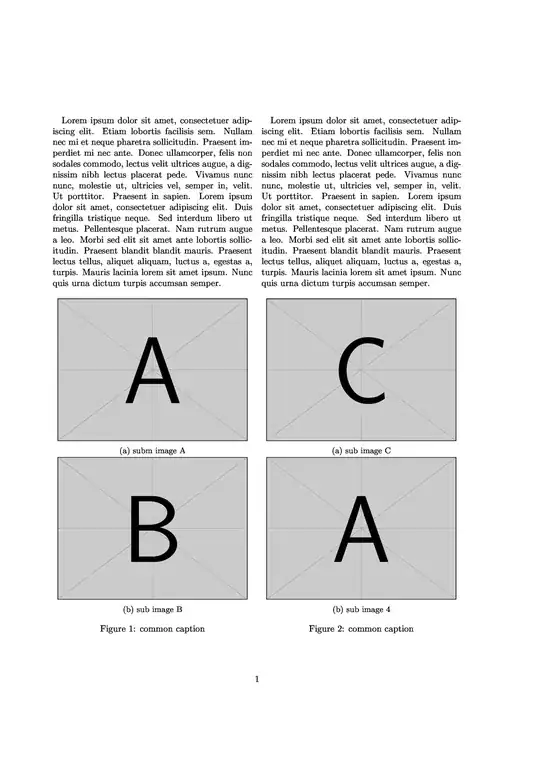
twocolumn image placement

Update

Based on the answers in the links, I have modified the example. I don't know whether it will be useful in your actual project since it requires multicols package. If your report is several pages long, It may be easier to use the figure* method and manually shift the figure* command near text on the previous page so that finally it appears on the correct page.

\documentclass[a4paper,twoside,10pt]{article}
\usepackage{mwe}
\usepackage{subcaption}
\usepackage{multicol}
\begin{document}
\begin{multicols}{2}
\blindtext
\blindtext
\end{multicols}
\begin{figure}[hb]
    \begin{subfigure}[]{0.4\textwidth}
    \includegraphics[width=1\textwidth]{example-image-a}
    \caption{subm image A}
    \end{subfigure}
    \hfill
    \begin{subfigure}[]{0.4\textwidth}
    \includegraphics[width=1\textwidth]{example-image-b}
    \caption{sub image B}
    \end{subfigure}
\caption{common caption}
\end{figure}
\begin{figure}[hb]
    \begin{subfigure}[]{0.4\textwidth}
    \includegraphics[width=1\textwidth]{example-image-c}
    \caption{sub image C}
    \end{subfigure}
    \hfill
    \begin{subfigure}[]{0.4\textwidth}
    \includegraphics[width=1\textwidth]{example-image-a}
    \caption{sub image 4}
    \end{subfigure}
\caption{common caption}
\end{figure}
\end{document}
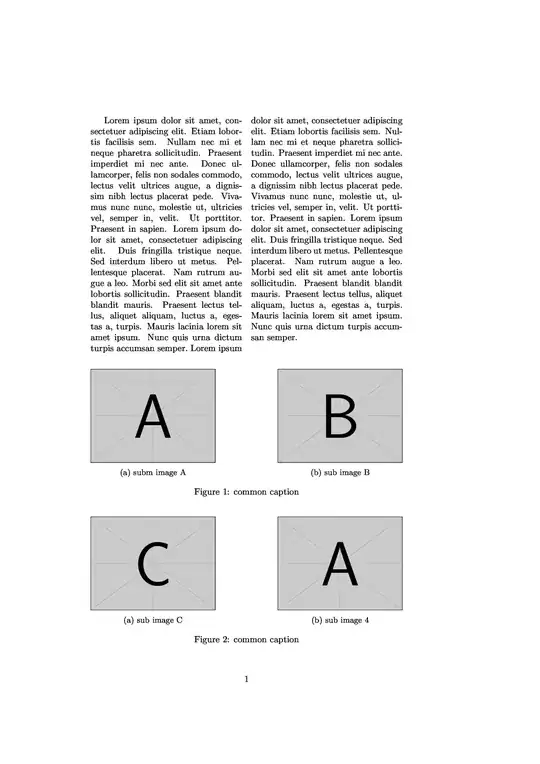
enter image description here

AJN
  • 932
  • thank you very much!but what i meant by cant place them right is that i want the pictures A and C have the same caption fig1 and B and A fig2.Do you know how can i achieve that? – Renia Mar 22 '16 at 13:53
  • Oh, so you want the images in the group to be horizontally placed? For that you need to tell latex to break the one column format and utilize both columns to place the figures. one way (havent tested it) is to change the \begin{figure}\end{figure} to \begin{figure*}\end{figure*}. You also have to remove the empty line between \end{subfigure} and \begin{figure}. – AJN Mar 22 '16 at 14:08
  • https://tex.stackexchange.com/questions/3173/how-to-make-a-figure-span-on-two-columns-in-a-scientific-paper http://tex.stackexchange.com/a/30988/95229 http://www.tex.ac.uk/FAQ-2colfloat.html http://www.latex-community.org/forum/viewtopic.php?f=45&t=10661#p41194 https://tex.stackexchange.com/questions/33803/how-can-i-place-a-double-wide-figure-float-ie-figure-on-the-bottom-on-the-fi?rq=1 – AJN Mar 22 '16 at 14:24
  • As the above links show, the figure* environment won't allow you to put the figures on the page currently being set. The figures will appear on the next page. It seems that you will have to use the multicols package. Take a look at the links above (the last one esp). – AJN Mar 22 '16 at 14:27