There are numerous ways to achieve this depending on the complexity of the alignment.
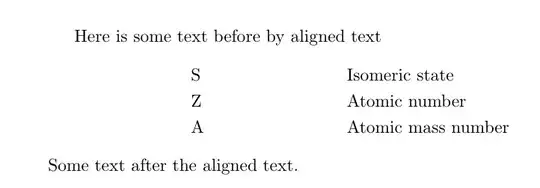
One way is to use \makebox to set the text into a fixed width size:

\documentclass{article}

\begin{document}
Here is some text before by aligned text\par
    \makebox[1.5cm]{S}  Isomeric state\par
    \makebox[1.5cm]{Z}  Atomic number\par
    \makebox[1.5cm]{A}  Atomic mass number\par
Some text after the aligned text
\end{document}
Depending on the complexity of the alignment, you can define macros to make the entry as above easier.
If you only have a list as in the example you have given, you could use simply use a list environment. Here is an an example use the enumitem package
\documentclass{article}
\usepackage{enumitem}

\begin{document}
\noindent
Here is some text before by aligned text
\begin{itemize}[leftmargin=2.0cm,labelsep=0.5cm]
\item[S] Isomeric state
\item[Z] Atomic number
\item[A] Atomic mass number
\end{itemize}
Some text after the aligned text
\end{document}
You could also use the tabular environment and not put it in a float:
\documentclass{article}

\begin{document}
\noindent
Here is some text before by aligned text

\begin{tabular}{rl}
    S& Isomeric state\\
    Z& Atomic number\\
    A& Atomic mass number
\end{tabular}

\noindent
Some text after the aligned text
\end{document}
Yet another option is to use the tabbing environment (suggested by @GonzaloMedina):
\documentclass{article}

\begin{document}
\noindent
Here is some text before by aligned text
\begin{tabbing}
\hspace*{1em}\= \hspace*{2em} \= \kill % set the tabbings
    \> S\>  Isomeric state \\
    \>Z  \>Atomic number \\
    \>A  \>Atomic mass number
\end{tabbing}
Some text after the aligned text
\end{document}




tabular– egreg Oct 31 '11 at 17:05