13

I'm trying to change a picture drawn using the plain picture environment and I need to change the background color of certain \framebox to lightgrey. Is it possible?

I know that there are more powerful environment like tikz, but the figure is quite complex, and I prefer to change the less I can.

For example, supposing to have this LaTeX code:

\documentclass[12pt]{article}
\usepackage{picture}
\begin{document}
    \begin{figure}[hp]
    \begin{center}
      \setlength{\unitlength}{1cm}
      \begin{picture}(7,3)(0,0)
        \put( 4,3){\framebox(3,3){World}} % background = grey ??
        \put( 0,3){\framebox(3,3){Hello}}
      \end{picture}
    \end{center}
    \end{figure}
\end{document}

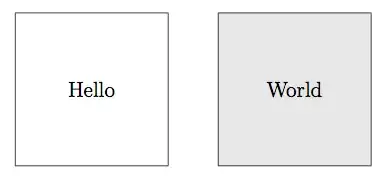
producing this figure:

enter image description here

How can I change that code in order to get this result:

enter image description here

with the minimal effort in term of code changes ?

I tried to use pstricks that is something like a superset of picture package, but I wasn't able to solve my issue...

Werner
  • 603,163
digEmAll
  • 537

3 Answers3

21

This is possible with \colorbox and the package xcolor. You need to add only one macro and to set \fboxsep to 0pt.

 \documentclass[12pt]{article}
    \usepackage{picture,xcolor}
    \begin{document}
        \begin{figure}[hp]
        \begin{center}
          \setlength{\unitlength}{1cm}
          \begin{picture}(7,3)(0,0)
            \setlength\fboxsep{0pt}
            \put( 4,3){\colorbox{gray!20}{\framebox(3,3){World}}} % 
            \put( 0,3){\framebox(3,3){Hello}}
          \end{picture}
        \end{center}
        \end{figure}
    \end{document}

enter image description here

Werner
  • 603,163
Alain Matthes
  • 95,075
  • 5
    xcolor also has the command \fcolorbox{<frame color>}{<background color>}{<text>}, which does this directly. According to the documentation, it takes care drawing the frame so that it is not overwritten by the background, so perhaps it is better than combining \colorbox and \framebox. Though I see now that the OP is using a particular version of \framebox in the picture package, so maybe this option isn't available here. – Ryan Reich Dec 12 '11 at 23:31
  • @RyanReich: Yes, and there's a little more that is required to use \fcolorbox to match \framebox - see my answer. – Werner Dec 12 '11 at 23:36
  • Yes I agréé with your comments – Alain Matthes Dec 13 '11 at 05:37
  • This is probably the less painful solution, thanks a lot! :) – digEmAll Dec 13 '11 at 07:14
7

With a little bit of massaging, you can still use the picture environment to do this, without having to resort to more advanced techniques (like tikz/pgf or pstricks):

enter image description here

\documentclass[12pt]{article}
\usepackage{xcolor}% http://ctan.org/pkg/xcolor
\usepackage{picture}% http://ctan.org/pkg/picture
\begin{document}
    \begin{figure}[hp]
    \begin{center}
      \setlength{\unitlength}{1cm}
      \setlength{\fboxsep}{15mm}
      \begin{picture}(7,3)(0,0)
        \put( 4,4.5){\fcolorbox{black}{black!15}{\smash{\makebox[0pt]{\raisebox{-.5\height}{World}}}}} % background = 15% black
        \put( 0,3){\framebox(3,3){Hello}}
      \end{picture}
    \end{center}
    \end{figure}
\end{document}​

The above uses \fcolorbox from xcolor to fill the background with some colour (black!15 or 15% black in this case). The whole idea is to typeset something without height/width in a box that has a 3cm width/height (or 15mm \fboxsep*).

This answer attempts to duplicate the behaviour of \framebox from the picture package. @Altermundus' answer to add a background via the traditional \colorbox from xcolor is much cleaner.

* I guess, if more precision is required, \setlength{\fboxsep}{\dimexpr 15mm-\fboxrule\relax} would probably be more appropriate.

Werner
  • 603,163
4
\documentclass{article}
\usepackage{pstricks-add}

\begin{document}
    \begin{pspicture}[showgrid=false](11,5)
        \psset{linestyle=dashed,fillstyle=solid,opacity=0.5}
        \psTextFrame[fillcolor=red](0,0)(5,5){Counter}
        \psTextFrame[fillcolor=blue](6,0)(11,5){Terrorist}
    \end{pspicture}
\end{document}

enter image description here