2

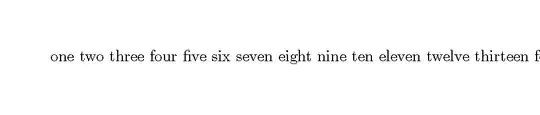
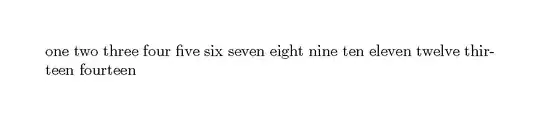
I need text inside "node" command to automatically break at document margin and transition to next line as it does outside of tikzpicture.

\documentclass
    [%
        border=10mm,
        varwidth=100mm
    ]   {standalone}

\usepackage{tikz}

\begin{document}
    \begin{tikzpicture}
        \path node
            {%
one two three four five six seven eight nine ten eleven twelve thirteen fourteen
            };
    \end{tikzpicture}
\end{document}
Desired outcome:
bp2017
  • 3,756
  • 1
  • 13
  • 33

1 Answers1

3

You can just use a minipage:

\documentclass
    [%
        border=10mm,
        varwidth=100mm
    ]   {standalone}

\usepackage{tikz}

\begin{document}
    \noindent\begin{tikzpicture}[inner sep=0]
        \path node
            {%
            \begin{minipage}{\linewidth}
one two three four five six seven eight nine ten eleven twelve thirteen fourteen
            \end{minipage}%
            };
    \end{tikzpicture}
\end{document}

"inner sep=0" option saves you from overfull hbox.

koleygr
  • 20,105
  • 2
    Might be useful to include a \noindent before the tikzpicture and a trailing % as in \end{minipage}%. The % may be ok in this specfic case, but won't be in general following an \end{minipage}. – Peter Grill Oct 10 '17 at 22:08
  • 1
    @PeterGrill In this case (with standalone) the \noindent doesn't matter. – Torbjørn T. Oct 10 '17 at 22:16
  • @TorbjørnT. The question title is more general. I think that Peter commented for the general case. I just show that he talks about the % for the general case but the \noindent is for general usage too... – koleygr Oct 10 '17 at 22:20